The problem
Every complaint led back to one screen
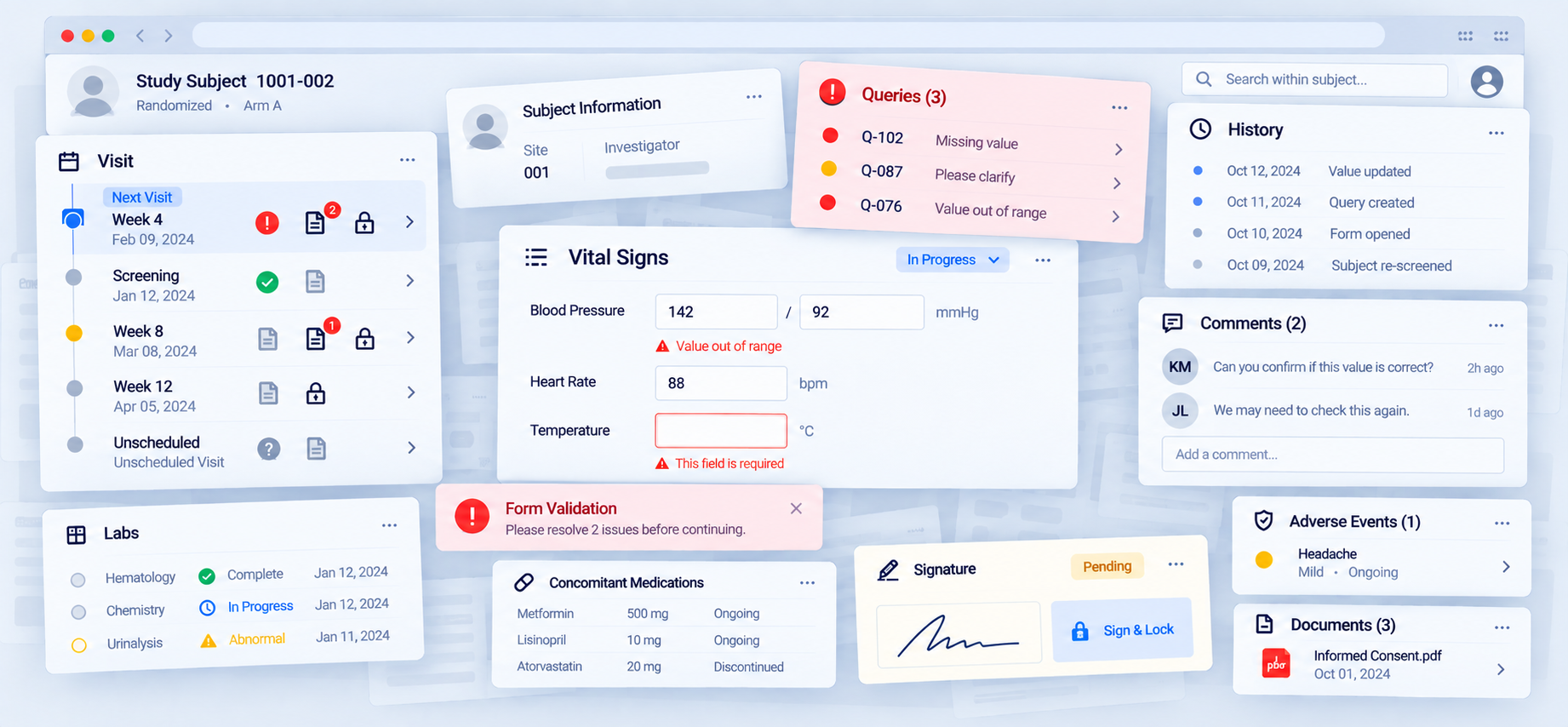
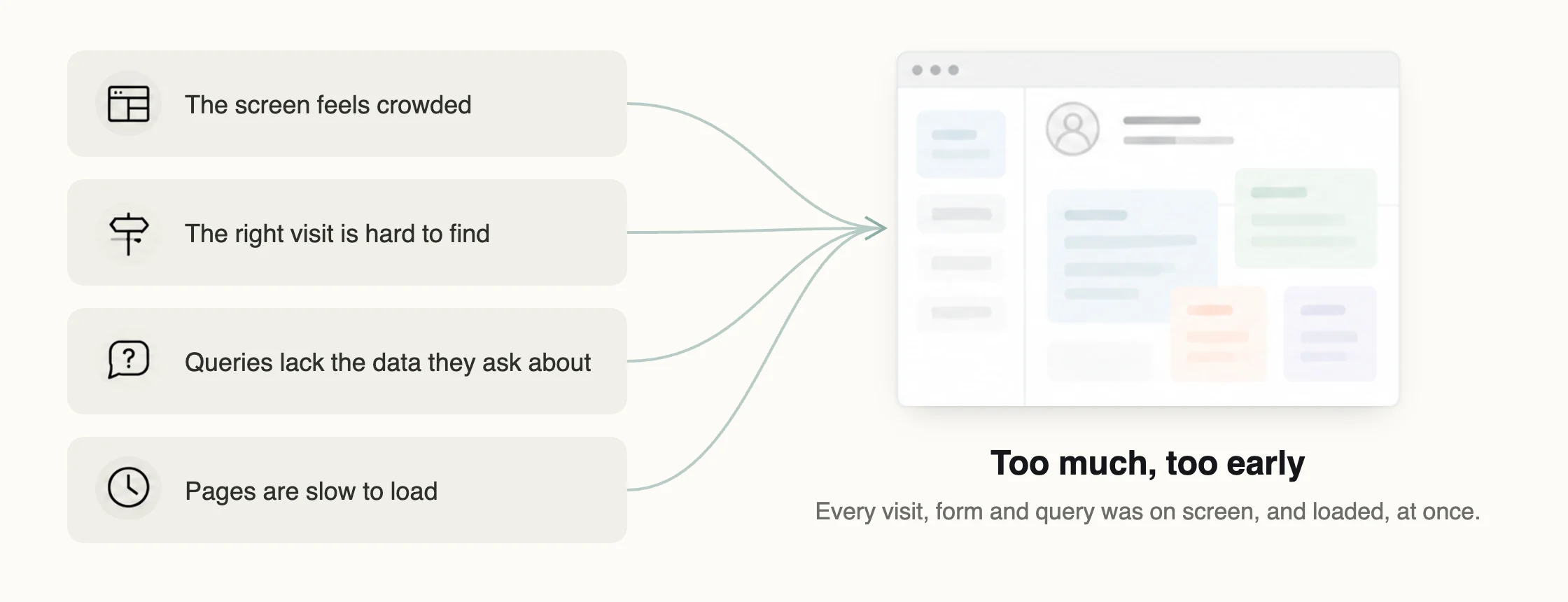
The feedback came from 27 sponsor-side users, with site feedback relayed through clinical operations. Some of it was about speed, like saves that left people unsure whether anything had happened, or reloads in the middle of reviewing a query. Most of it was about room.
People zoomed the browser out to fit the subject screen. Some moved it to a second monitor. In a long study, finding the right visit meant scrolling a strip of visit tiles and reading colours that did not say what was wrong. Reviewing a query meant leaving it to look at the visit it was about, then coming back.
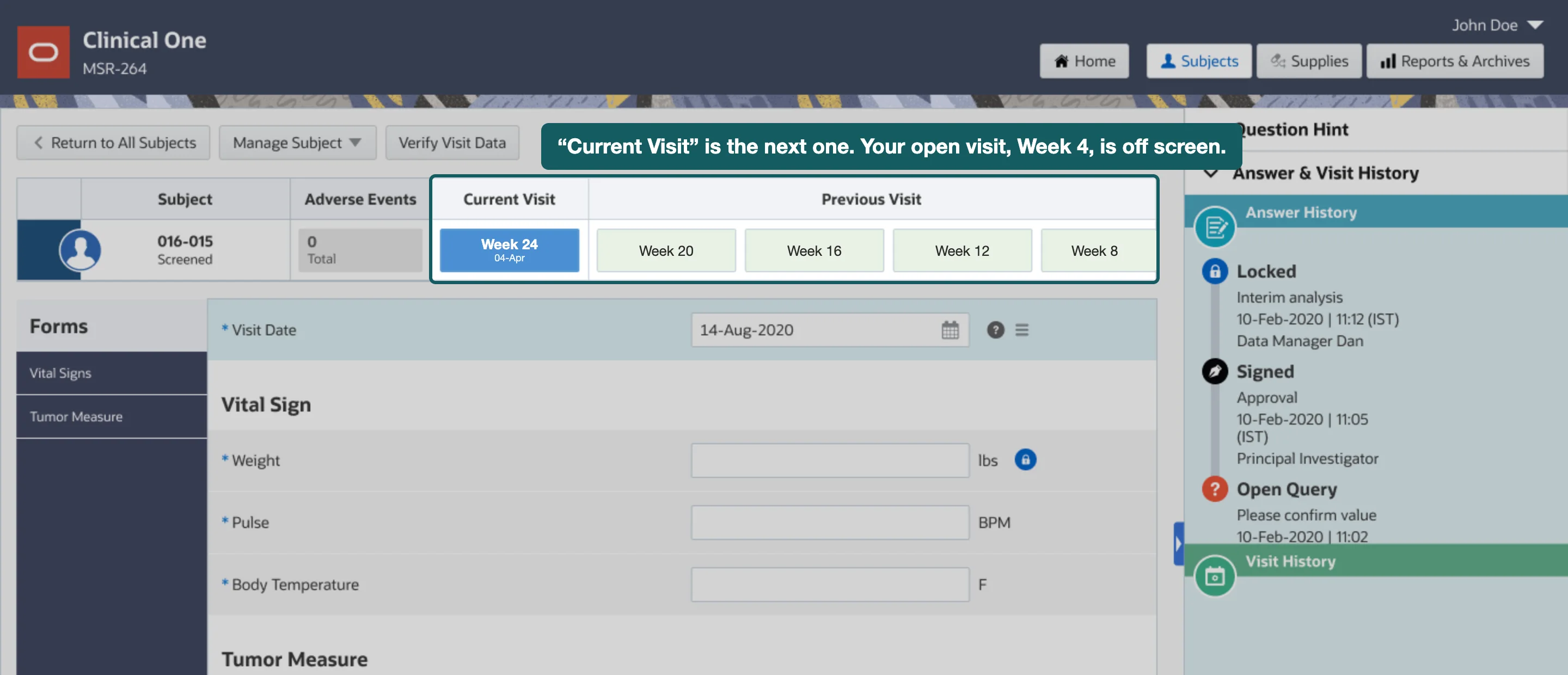
On a visit, the same strip was the only thing saying which visit you were in. Open an earlier visit and its tile could scroll out of sight, while the tile under “Current Visit” showed the patient’s next visit, not the open one. Customers told us they worried about entering data into the wrong visit.
Each of these had been filed as its own complaint and handled as its own enhancement, when it made it into a release at all. UX work on this product had no reliable path onto the roadmap.
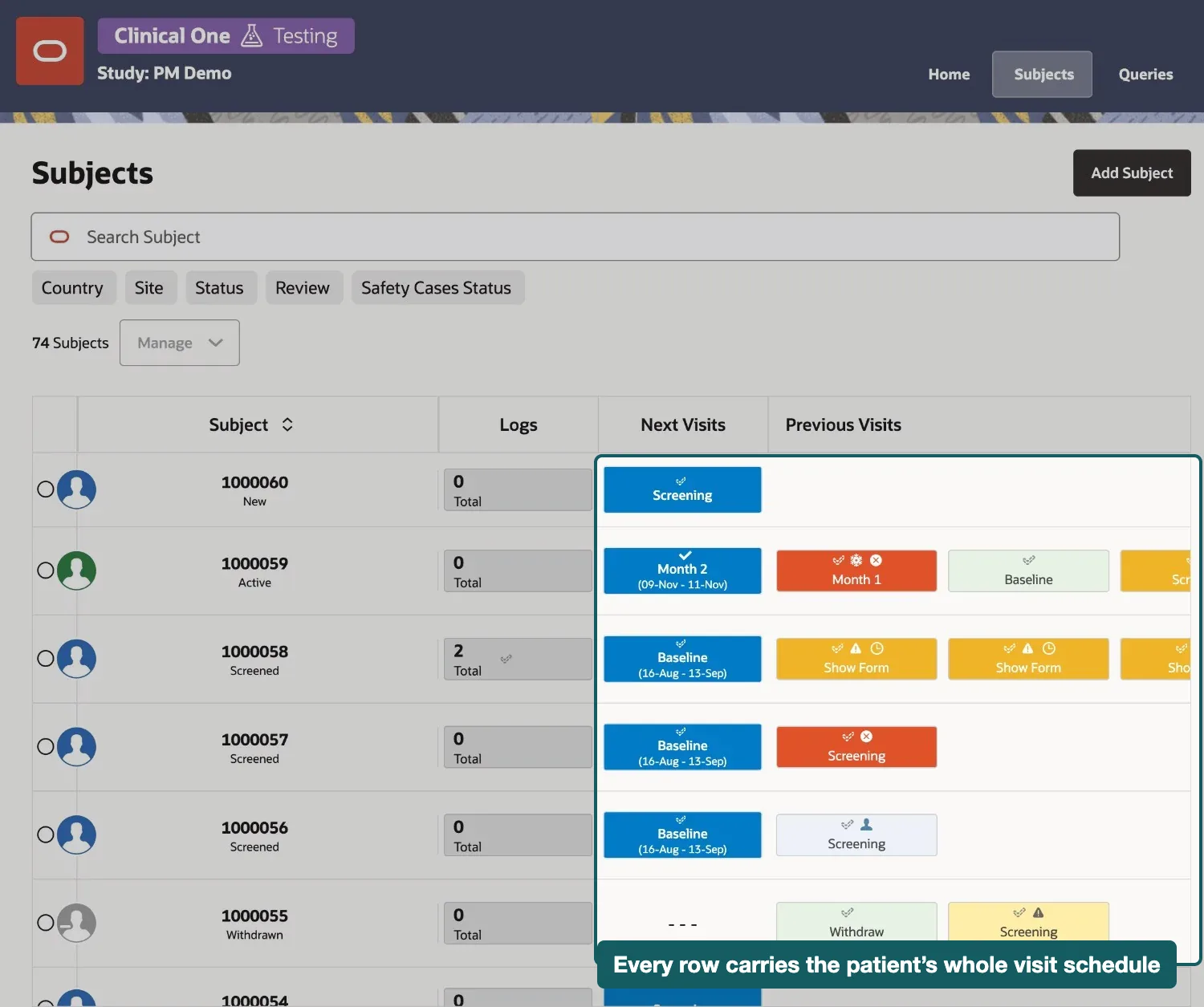
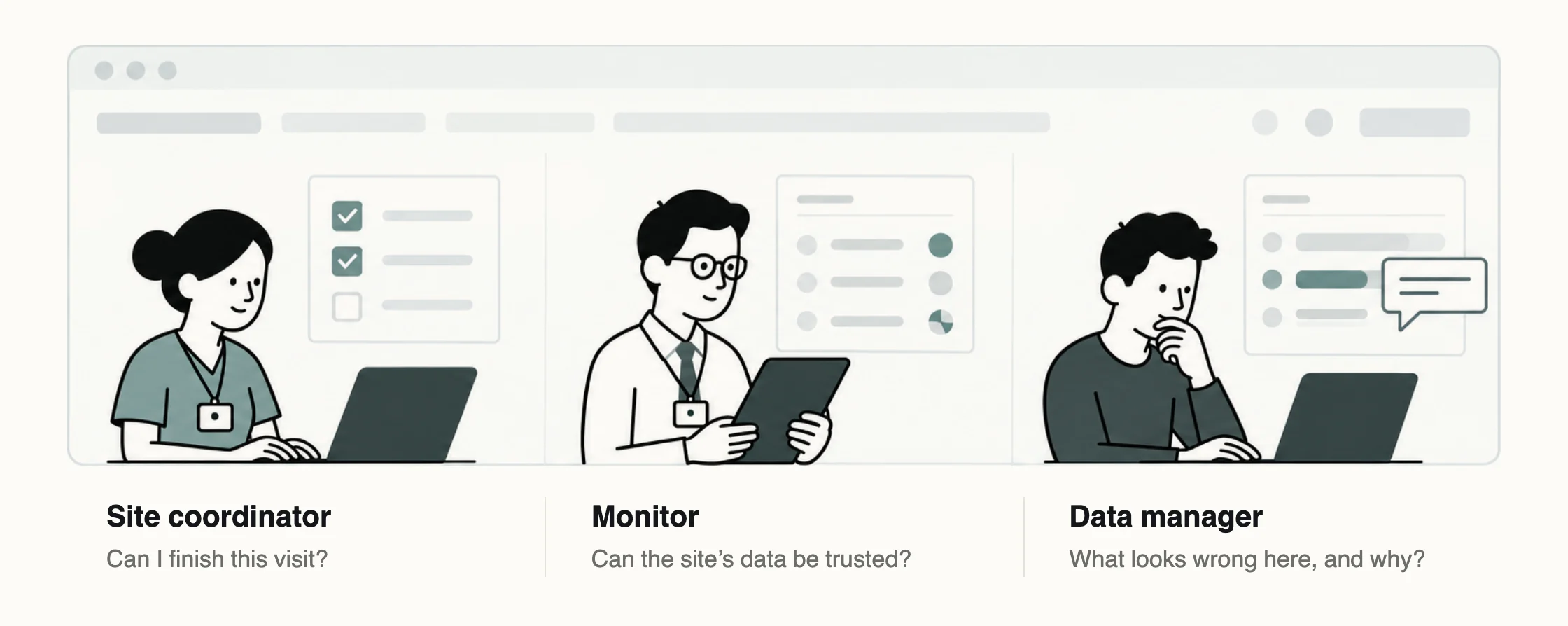
Clinical One calls patients subjects, and the subject screen is where the work on a patient happens. A site coordinator enters the visit data there, a monitor checks it, and a data manager goes there to understand a query. Because all three jobs passed through one screen, it had been built to serve them at once, with the schedule, the form list, the form and the queries for every visit, whether or not anyone asked. That is a screen-space problem for the person and a loading problem for the system, and they are the same problem.
So I designed against one question. What does a person need to see at each level of this work, and what can wait until they choose?
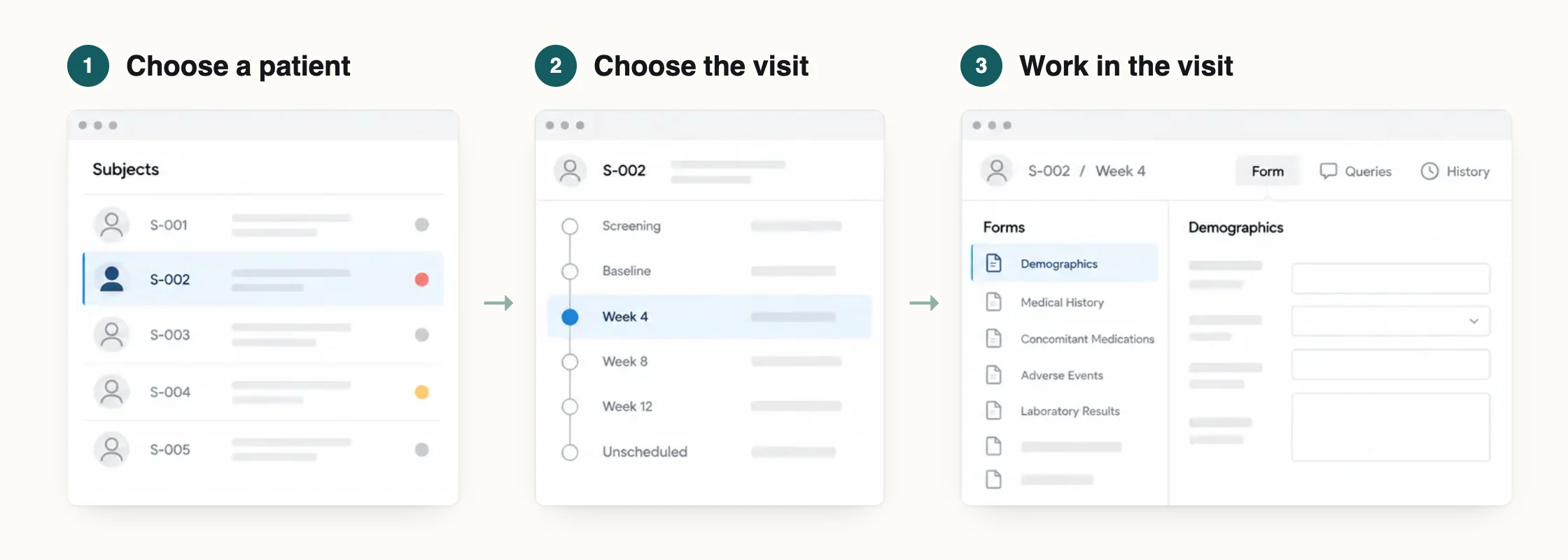
What I designed · three levels
Give patients, visits and forms one job each
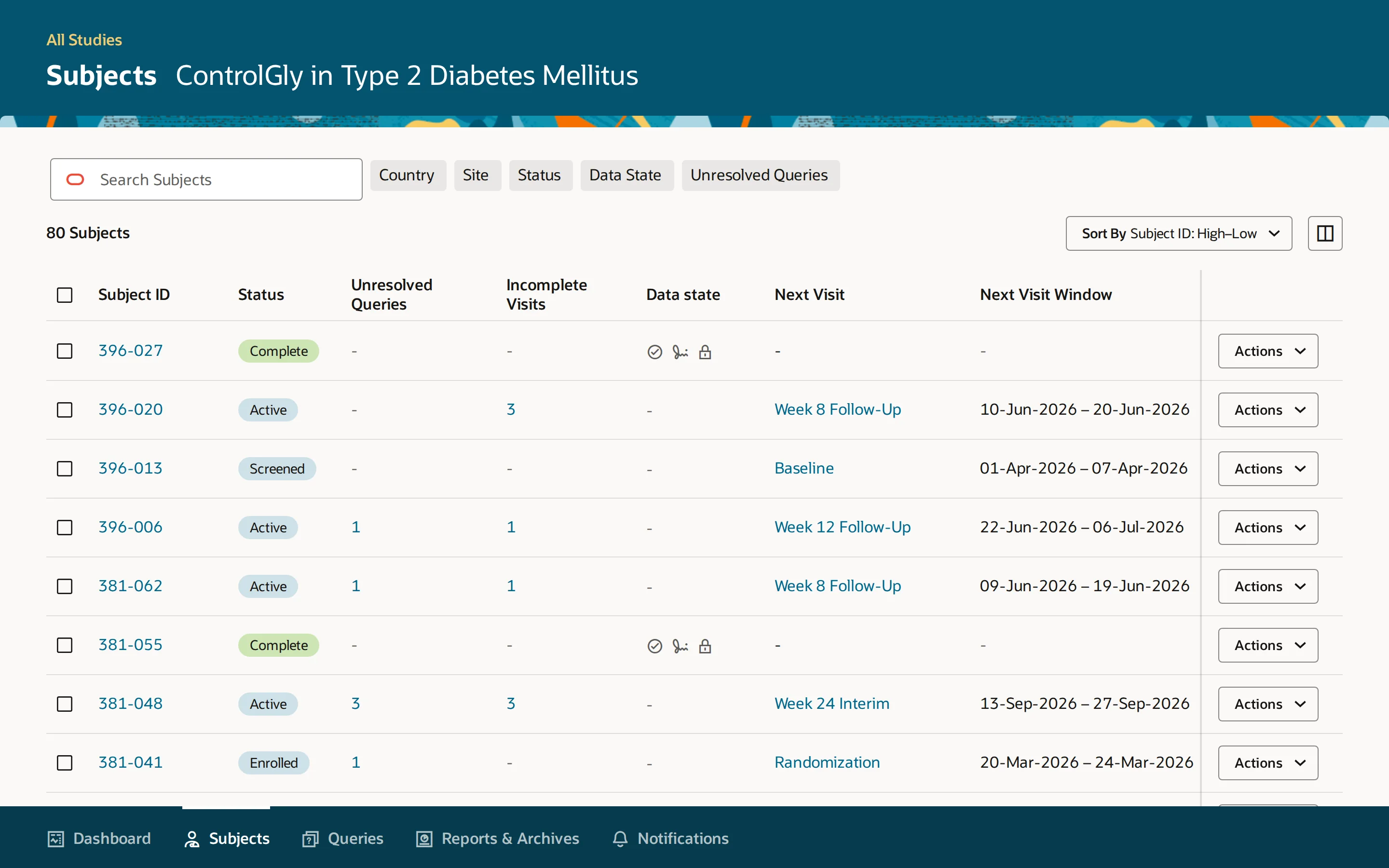
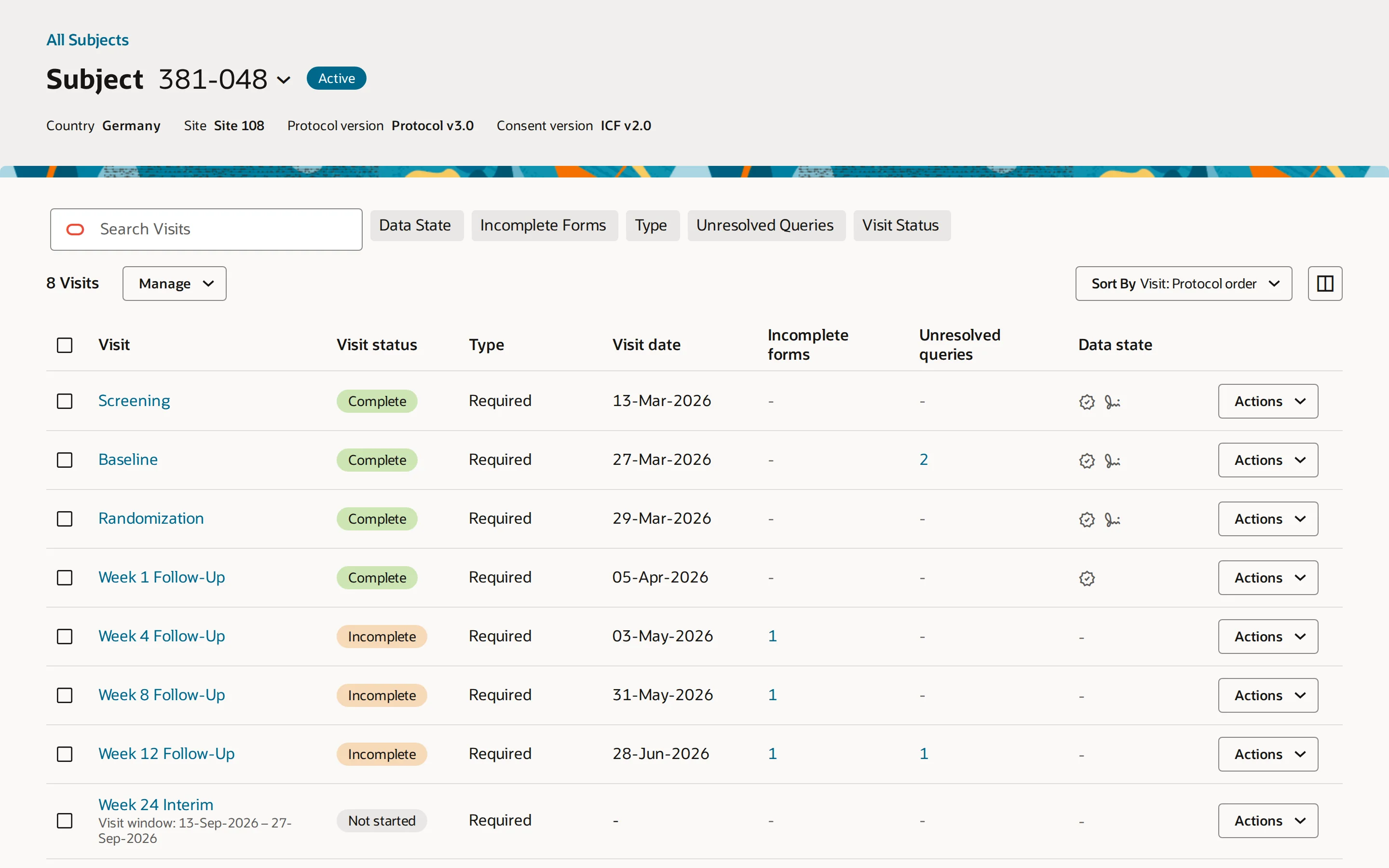
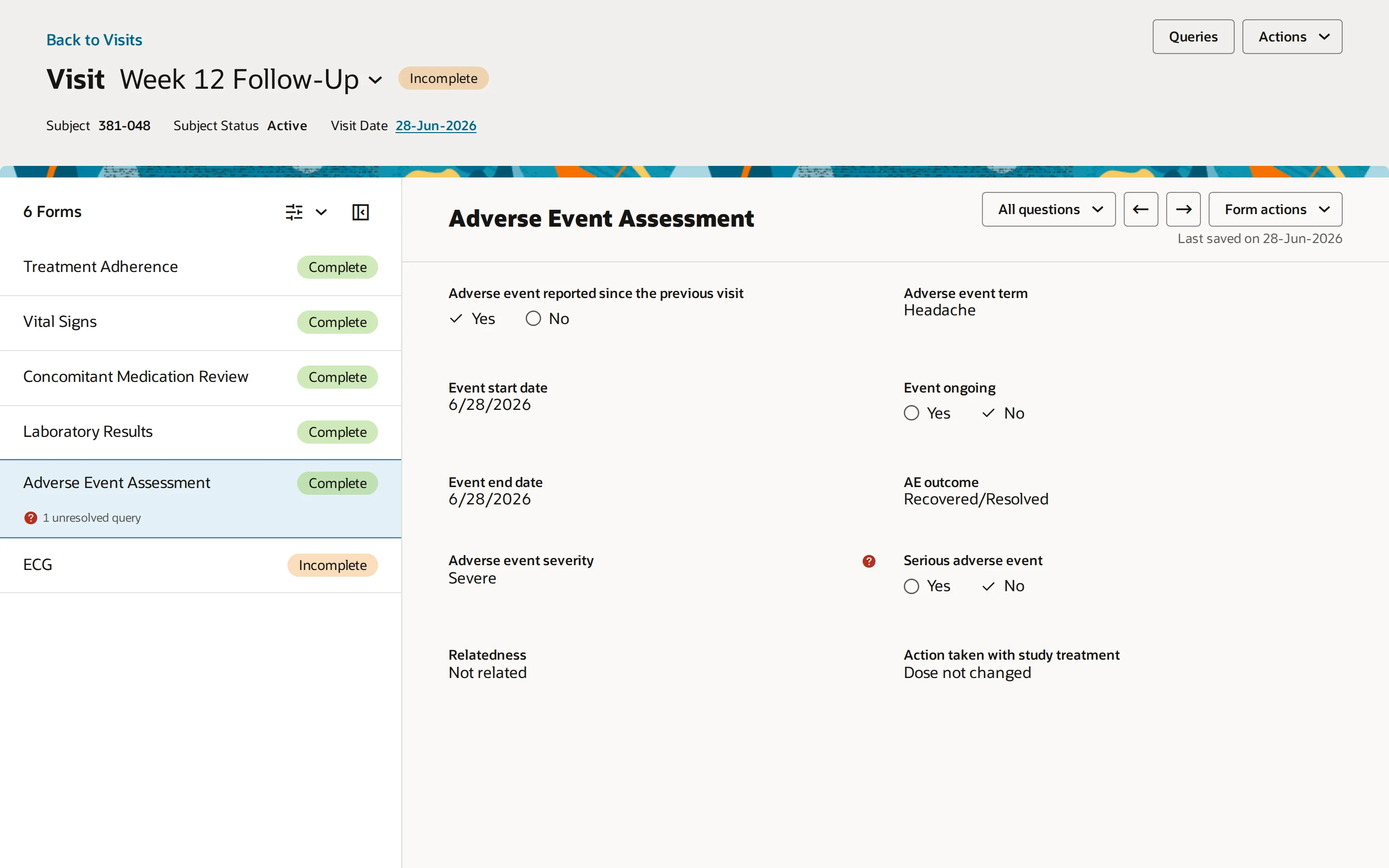
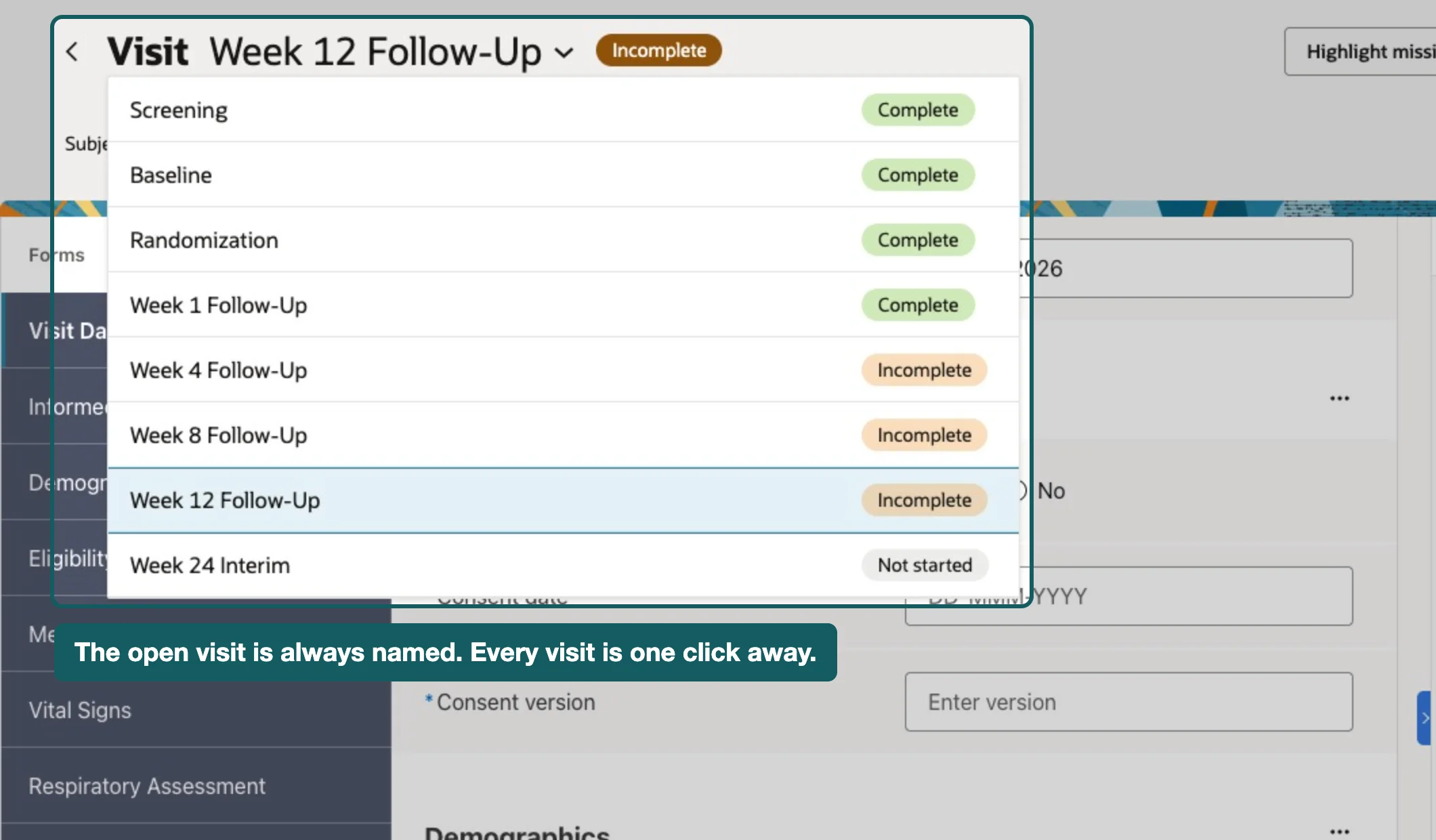
The hop is where the value is
The trade is a hop. Where someone used to see the schedule, the form and the queries on one screen, they now choose a visit before they see its forms. Every navigation step is a chance to lose your place, and site coordinators already spend their day navigating.
I took it because the hop is where the value is. If the visit’s forms are not on screen until someone chooses the visit, they do not have to be fetched until then either. Splitting the screen gave engineering something to test, that the detail could wait, and that is what turned a “UX enhancement” into something product leadership could weigh against performance work.
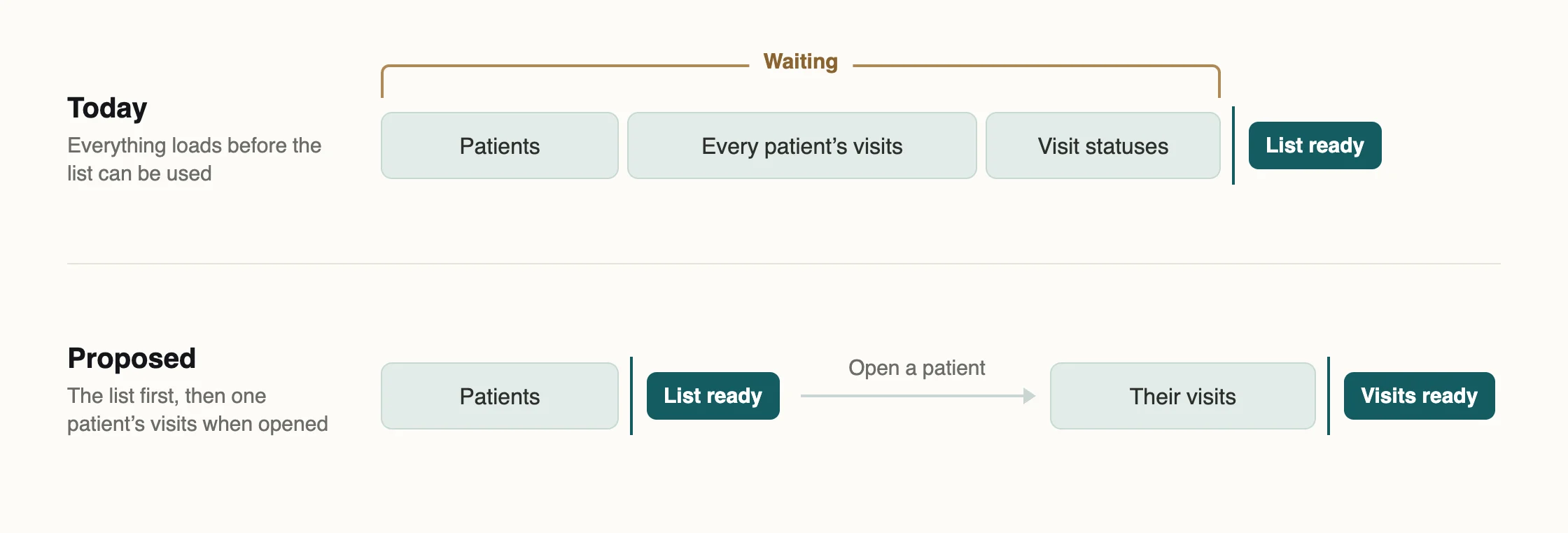
What the split costs is paid back in what each level can hold. A row has room for a date and two counts. A chip does not, which is why the chips had been reduced to colours that nobody trusted.
What I designed · queries
A query is a question about a field. Show the field.
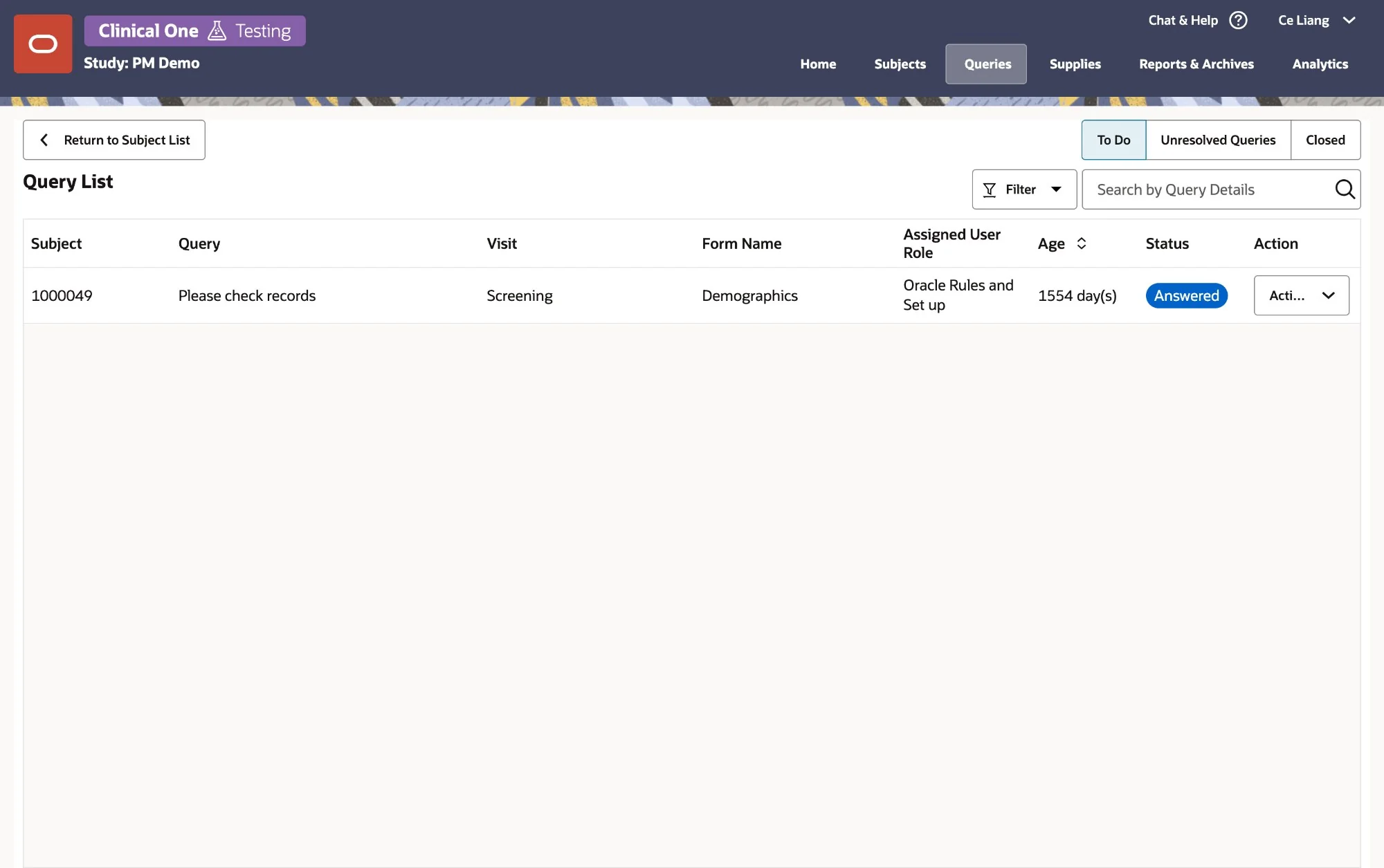
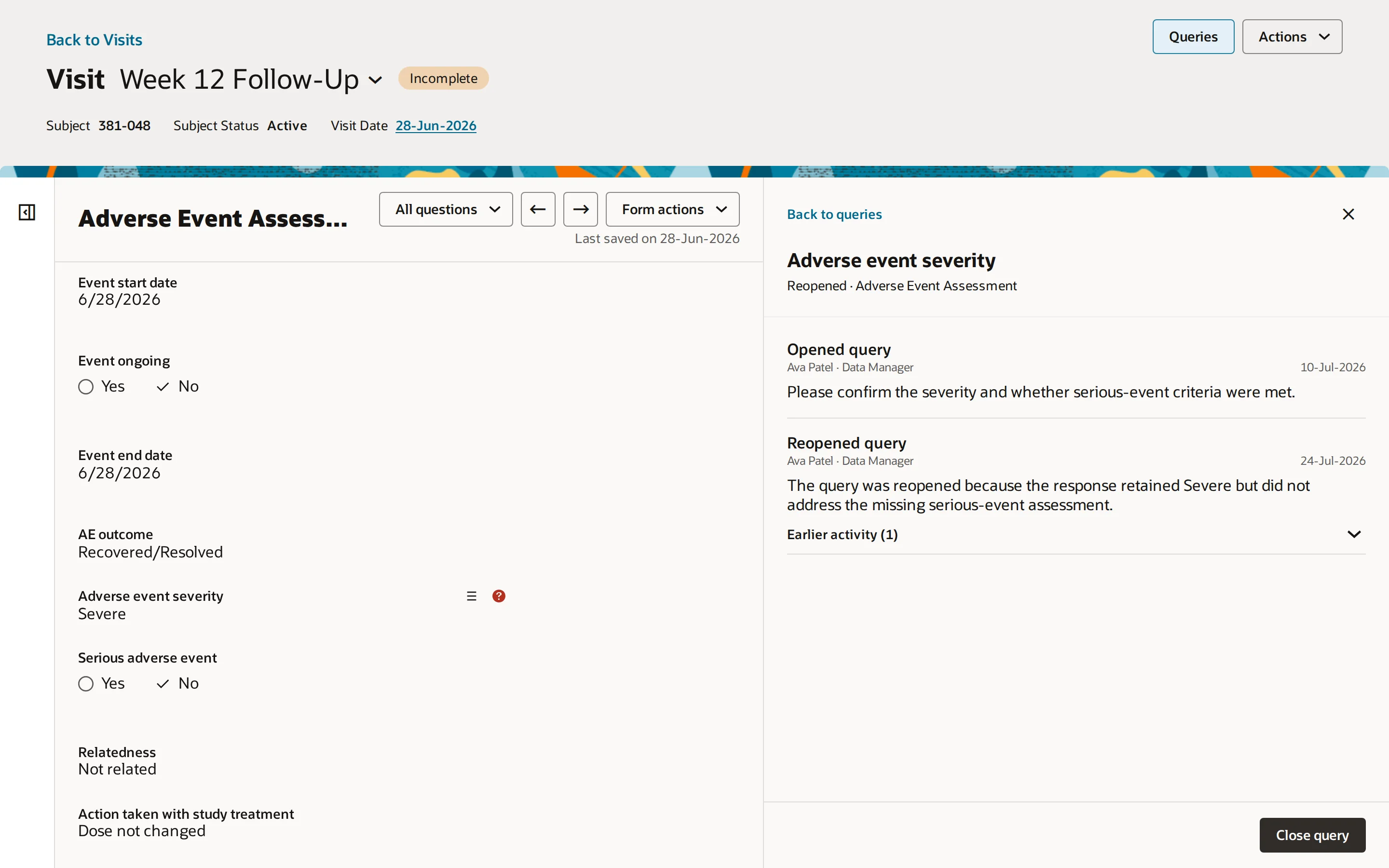
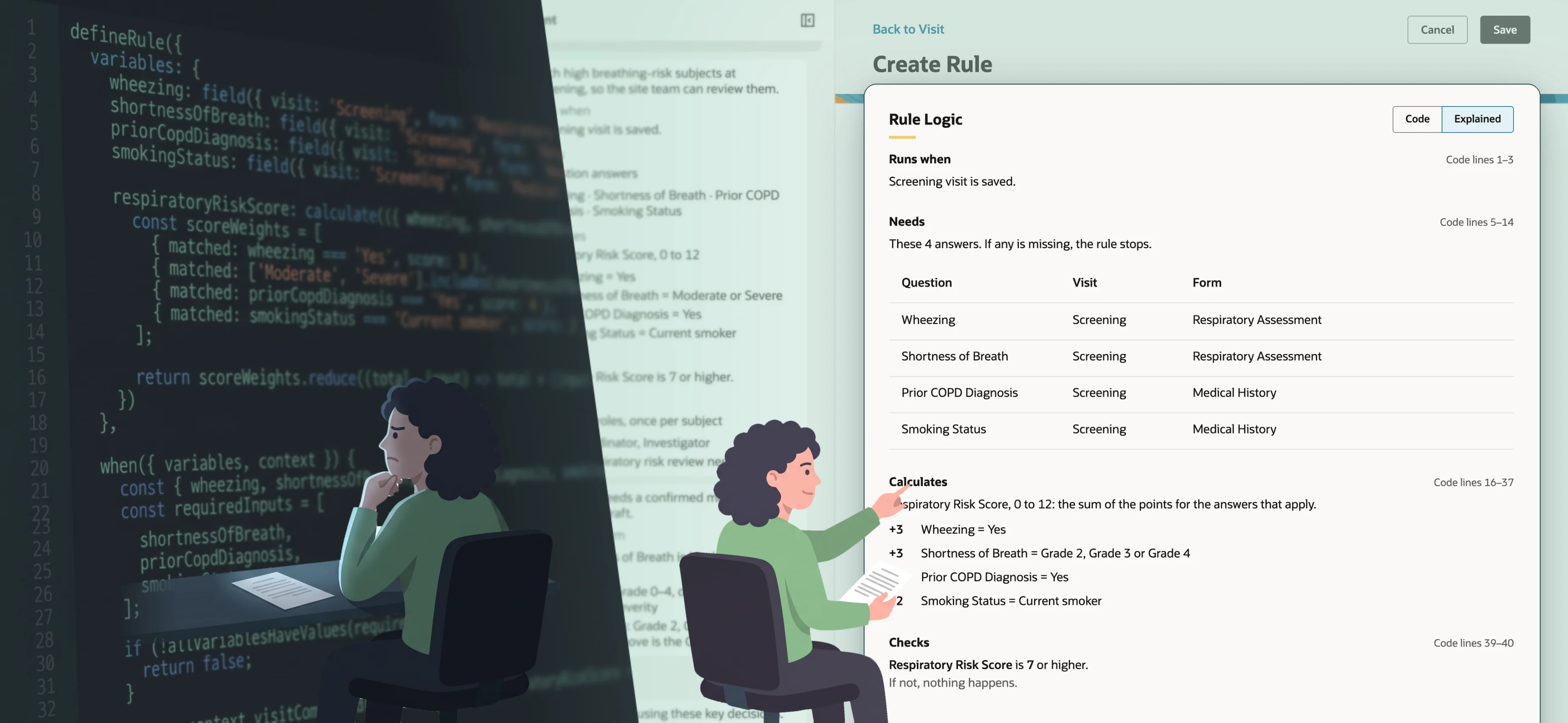
The complaint was that query review lacked context. The usual answer would have been to add context to the query, with more columns, a preview of the value and the audit trail inline. I went the other way and put the query next to its context.
A data manager deciding whether to accept a site’s answer needs the answer, the field, the neighbouring fields and the history. Three of those four are the form. So the query panel opens over the visit, at the form, with the field marked. The panel is deliberately narrow, because the form is the evidence and the panel is only the conversation.
The cost is that a busy form gets narrower while a query is open. That is a real cost on a laptop, and I would rather pay it than send someone to another page to see the value they are being asked about.
What I designed · studies
Find the study, then get out of the way
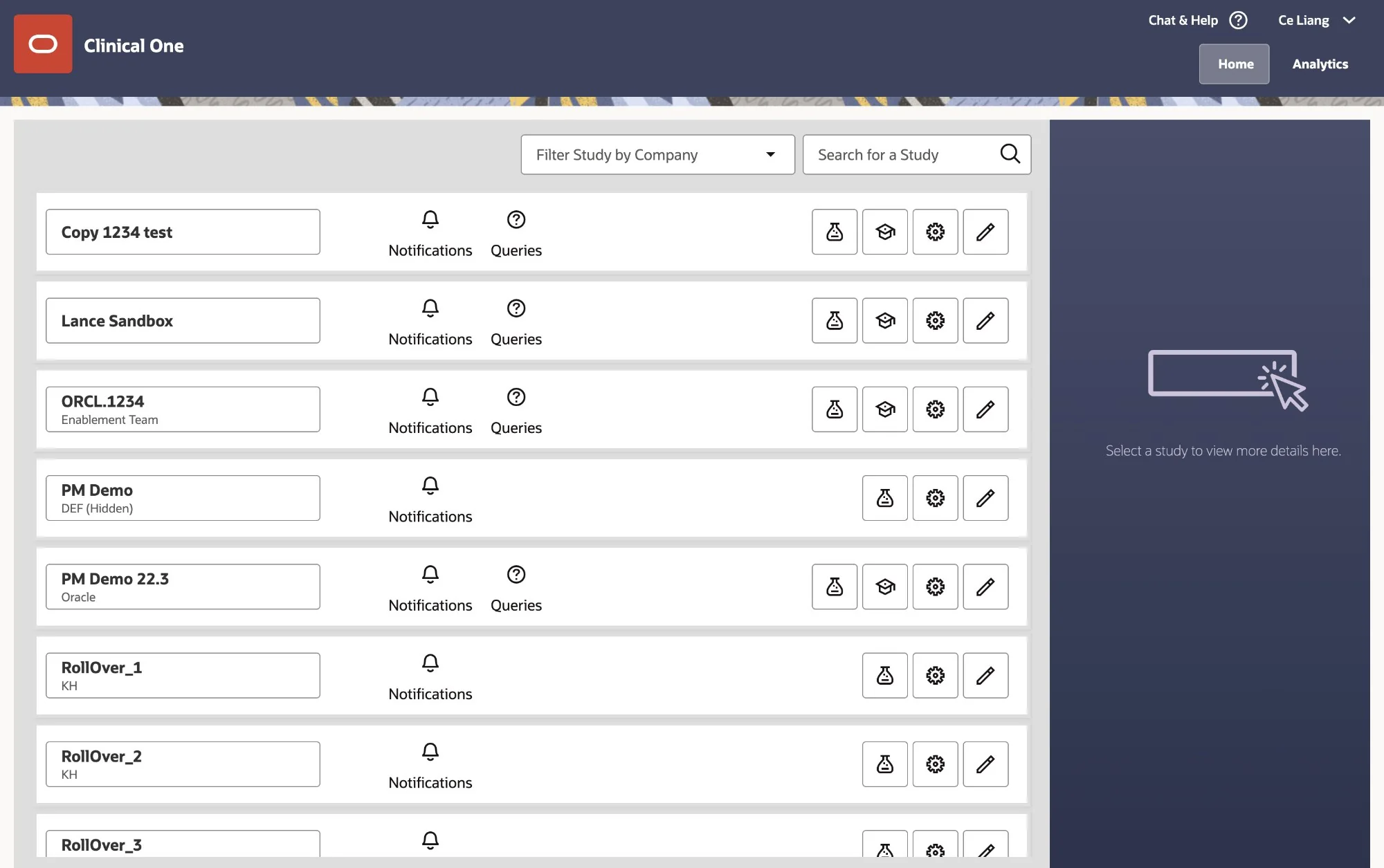
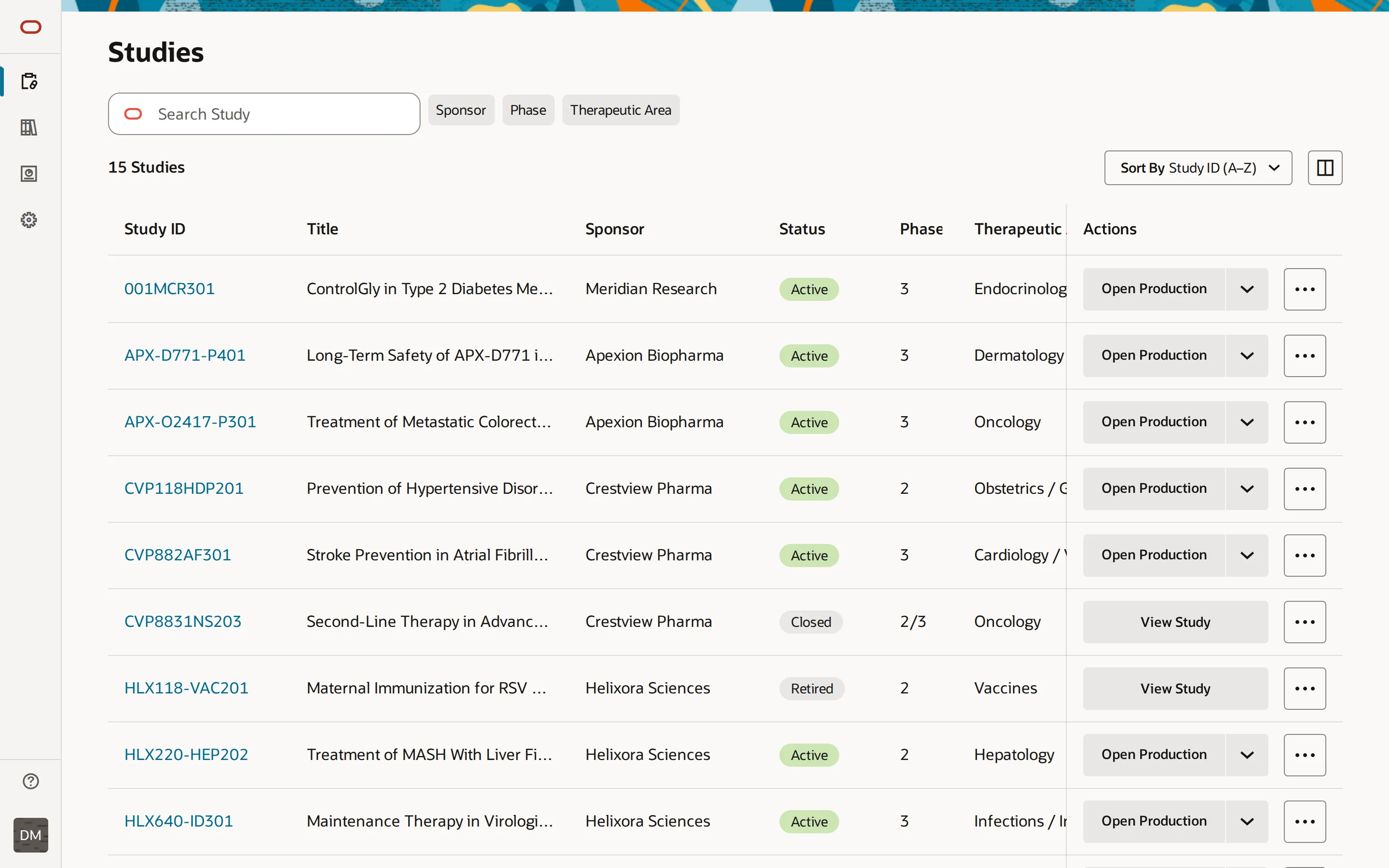
Before the subject screen there is a study to choose, and the existing page treated that choice as a destination, with large navigation rows for each study and a side panel that stayed open while you worked. It spent the most screen on the step people wanted to spend the least time in.
The redesign treats the study list as a corridor. A study is a row, and the row ends in the action. Open Production is the button, Testing and Training are one click away in the same control, and everything else sits behind a menu. The page gives up the side panel and the large rows. In exchange, the study you want is one search or one filter away, and once you are in it the list is gone.
The same rule that split the subject screen decided this page. Show what the choice needs, not what the next level will need.
Across the product
The same logic, everywhere it had to hold
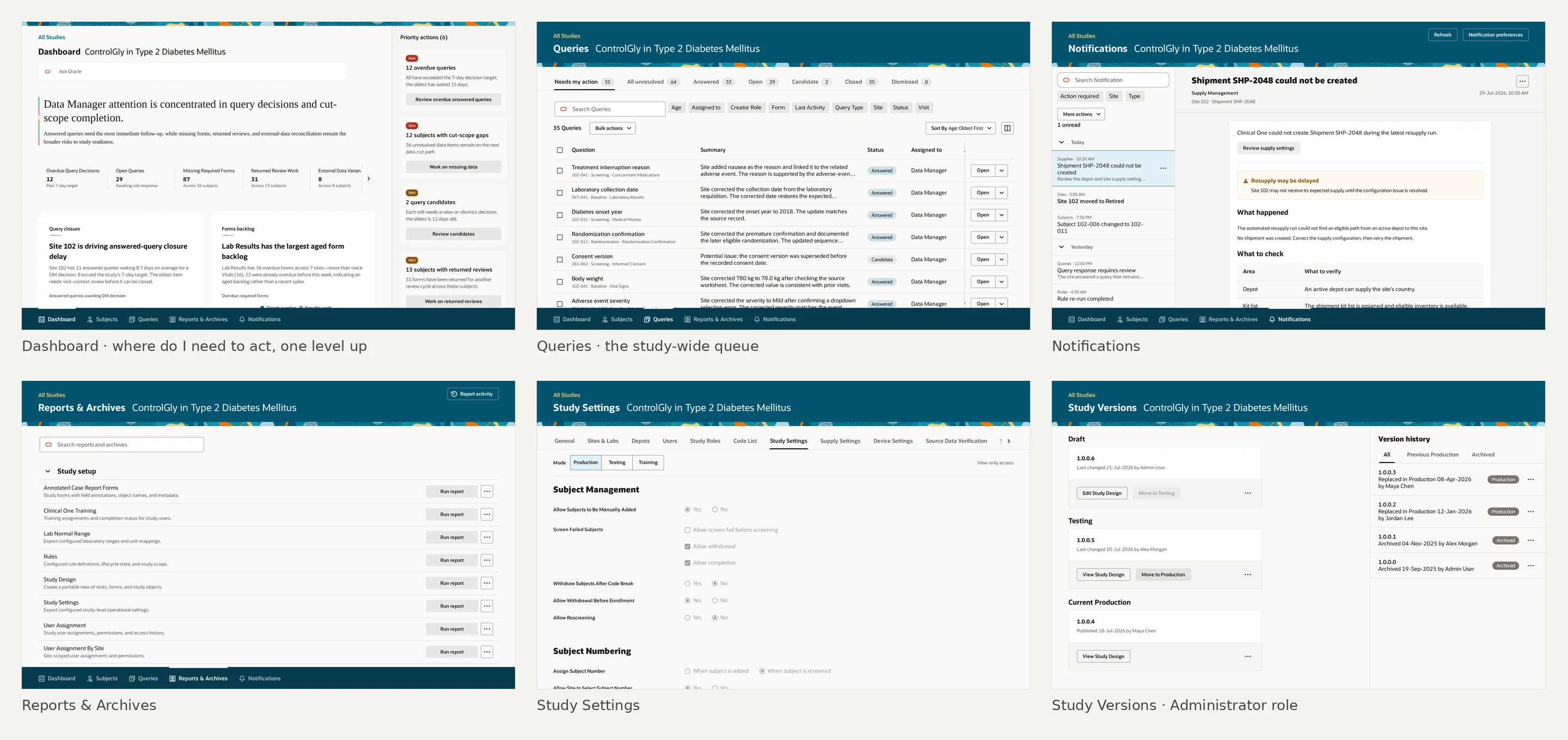
A three-level model is only convincing if it survives the pages that are not about it. So the prototype covered the whole study, including the dashboard a data manager starts from, the query queue that feeds the panel above, notifications, reporting, settings and the administrator’s version management. Each page follows the same rule, one question per page and nothing loaded that the question does not need.
The method
Built fast to argue with, then rebuilt on the product's own stack
I built this twice.
The first prototype was React and Vite, because the question at that stage was whether the model held together across studies, subjects, visits, forms and queries. Speed mattered more than fidelity; the point was to make the whole workflow discussable in one sitting, with a coding assistant doing much of the typing.
It worked, and leadership supported the direction. They also asked two things I could not answer with that prototype. What was the most valuable first step, and how did any of this relate to performance?
Rebuilt from the product’s own parts
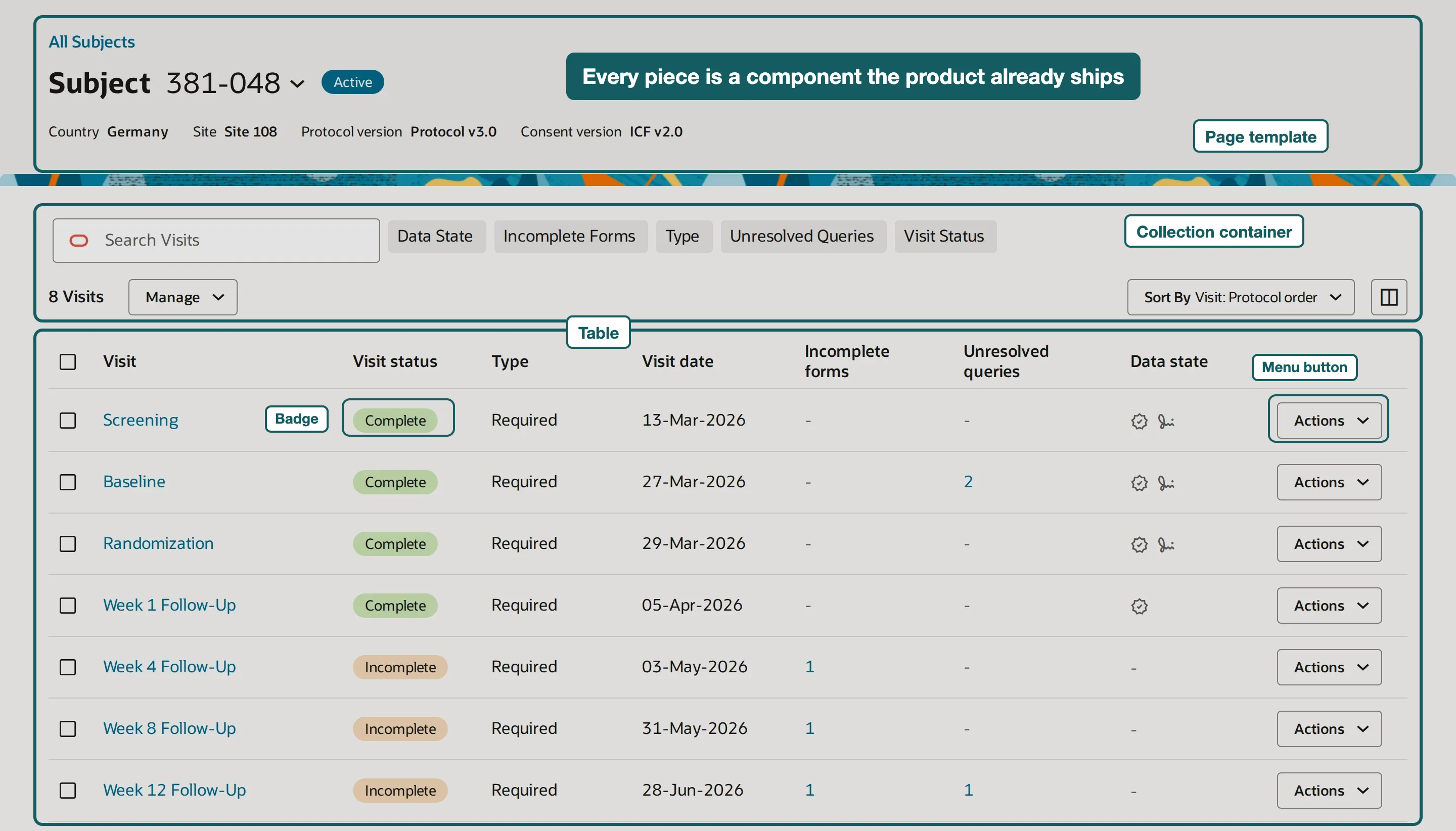
So I rebuilt the core flow on Oracle JET and Preact, the product’s own stack, starting from an existing JET/Preact base and extending it with the pages above. That was slower. Every component came with its own constraints, and layouts that had been easy in React had to be worked out again with the library.
It bought something the first prototype could not, which was credibility with the people who would have to build it. A JET page uses the same components, the same theming and the same build as the product. When an engineer looks at it, the question is no longer “could this be done” but “what would it take.” And the loading question could finally be asked concretely, because the pages were made of the same pieces the product loads.
The cost was a slower build and a narrower prototype than the React version. That was the price of being taken seriously by engineering. I paid it on purpose.
The constraint
The proposal got narrower, and the question got sharper
The first leadership review picked one piece as a possible first step, the subject list and the visit drill-down, in place of loading a subject’s visits and forms together. A product leader then asked for a wider review of exactly that, the visit schedule and the single visit, with the emphasis on simpler implementation and better performance.
That narrowed the work from a redesign to a question. What has to load when someone opens a subject or a visit, and what can wait?
Ready for entry, measured from the user’s side
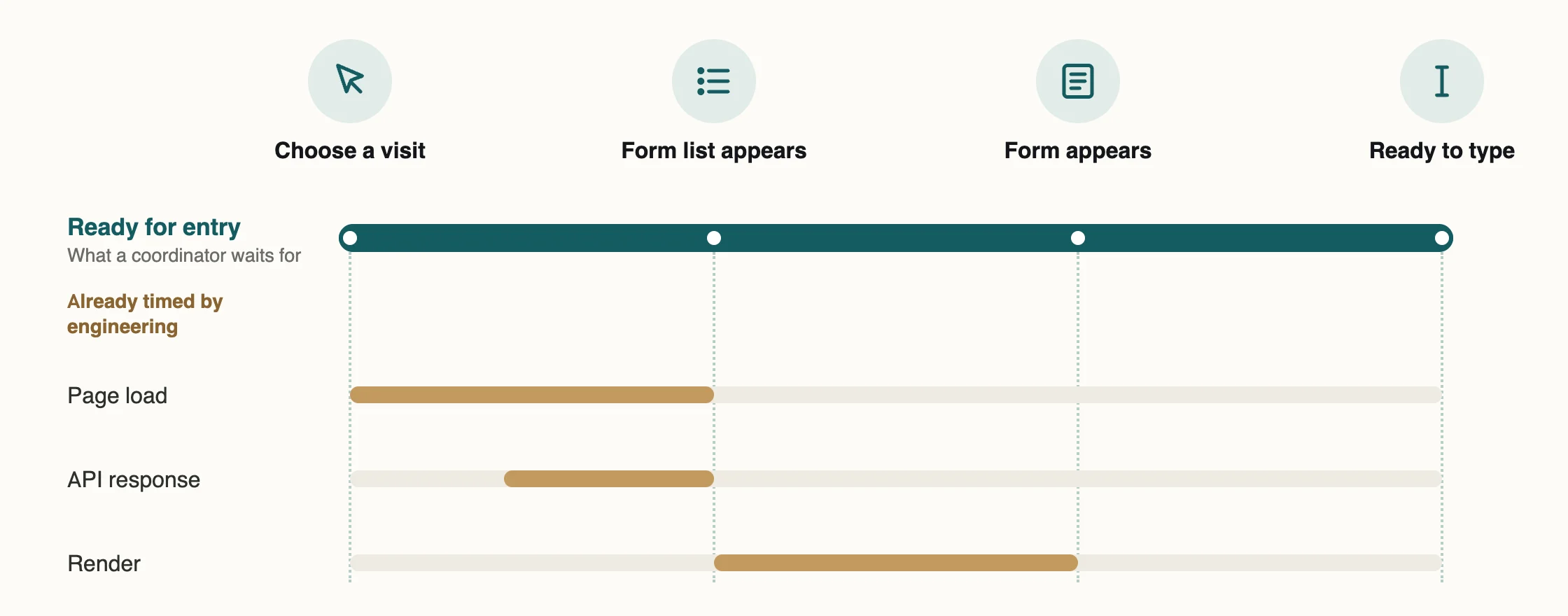
Performance had been discussed as page loads and API timings. Those matter, but a coordinator does not feel them one at a time. What they feel is the gap between choosing a visit and being able to type. So I defined the measure from that side, called it ready for entry, and took it to engineering to see which parts the existing timings already covered.
Where it stands
The UX work found its way onto the roadmap
At the start, UX work on this product had no reliable path into the roadmap. This proposal found one because it stopped being only a UX proposal. The split that gave people room was also a way to load less, and performance was the problem engineering and leadership were already trying to solve.
With a VP’s approval, the redesign moved from a design initiative to committed roadmap work, with a product manager assigned. The Subject and Visit pages ship in Q4 2026. The UX improvements now travel with the performance work instead of waiting behind it.
Closing
What I take from it
I drove the design and both prototypes, from a fast React exploration to a JET/Preact build on the product’s own components, and took the proposal into review with product and engineering. Design leadership helped position the initiative, and engineering is building it.
The contribution I would defend is the reframing. The customer complaints were about room, and the fix was about loading. Connecting the two is what let a design proposal be judged as an engineering one.