The problem
Required for the record became required for everything
A patient comes in for a scheduled visit. The medication is on the shelf, the treatment plan is clear, and nothing about the patient today says wait.
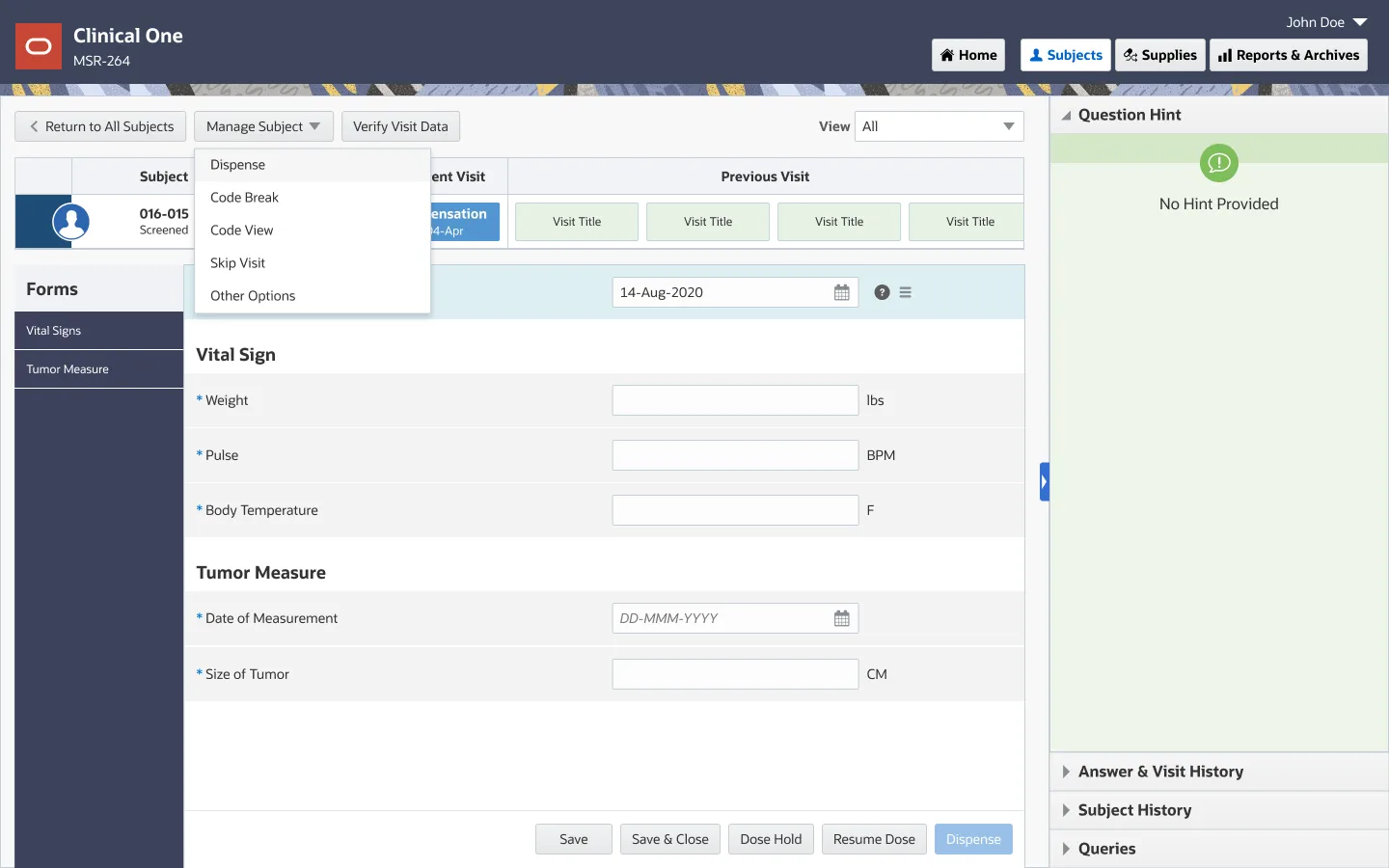
One lab value from the previous visit has not come back. The visit form has a required field with nothing in it, so the system will not let the study coordinator dispense. The patient is asked to come back another day.
Nobody in that room thinks the lab value is what dispensing depends on. The system thinks so, because it was never told otherwise.
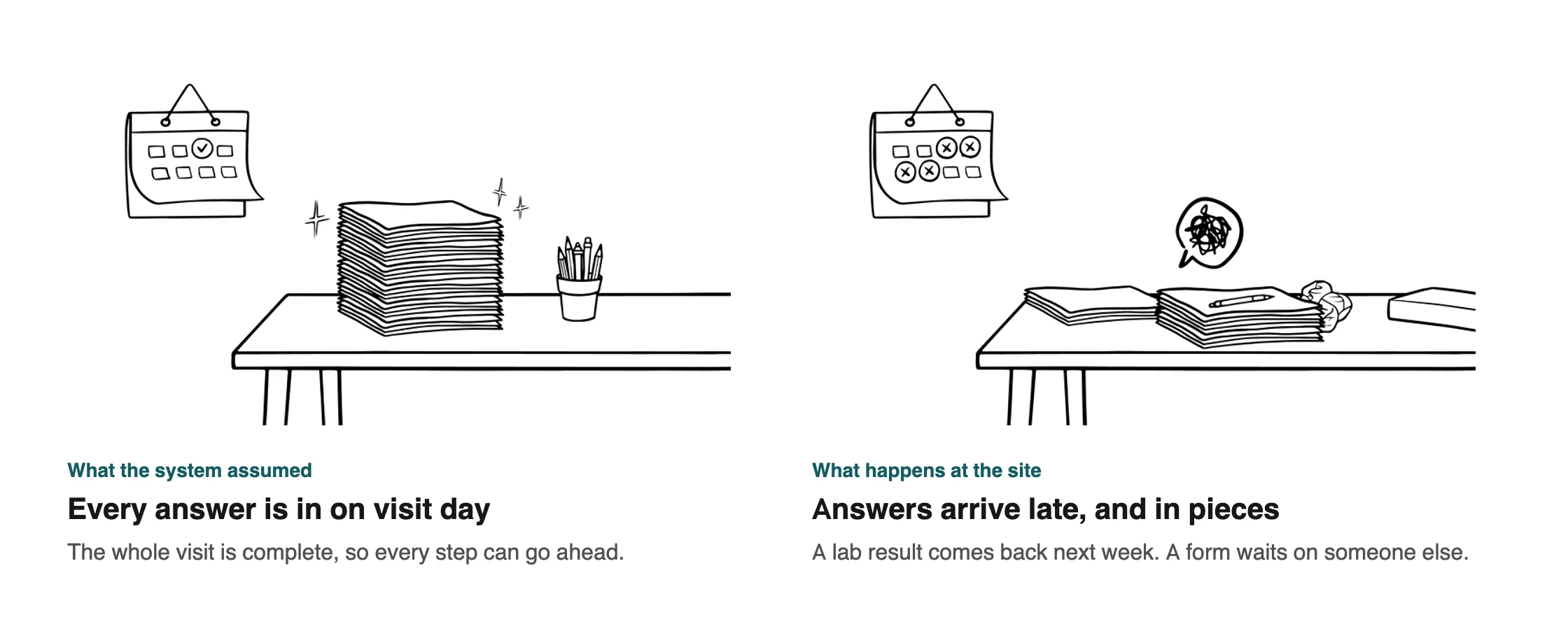
The system was built for a visit where every answer is in on the day. Real visits are messier. Lab results come back days later, some forms wait on another department, and the patient is still standing there.
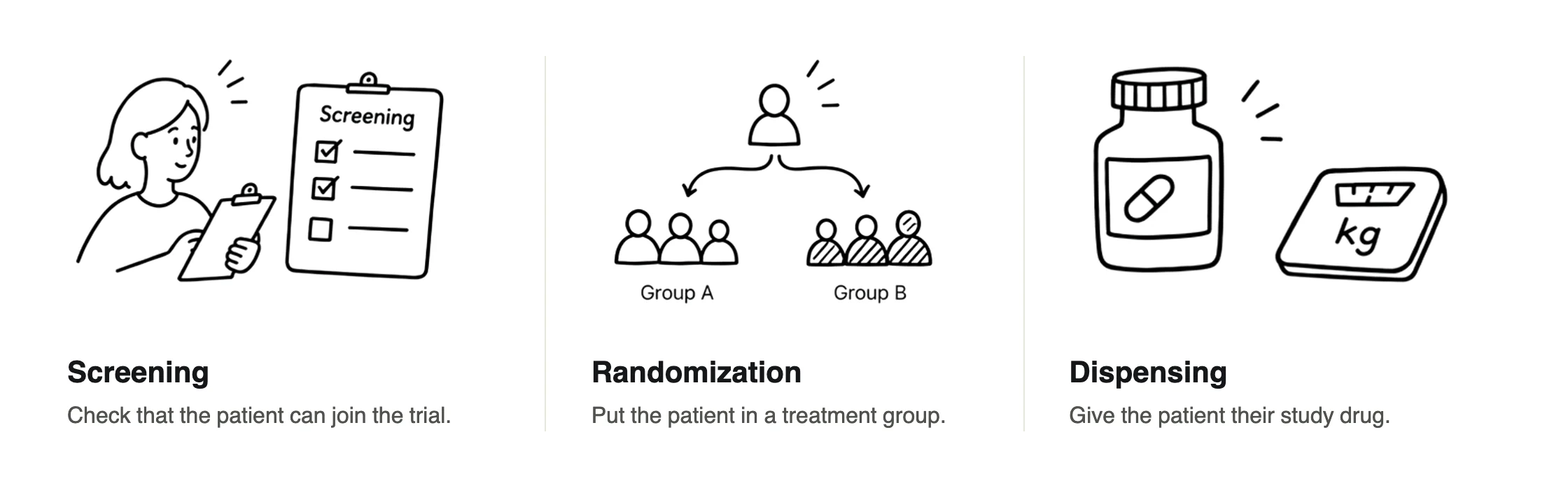
In Clinical One, a study designer builds each visit out of forms and marks questions required. The steps that move a patient forward, like screening them into the study, randomizing them to a treatment group and dispensing their medication, all happen from that visit.
So “required for the visit” had quietly become “required before anything can happen to this patient.”
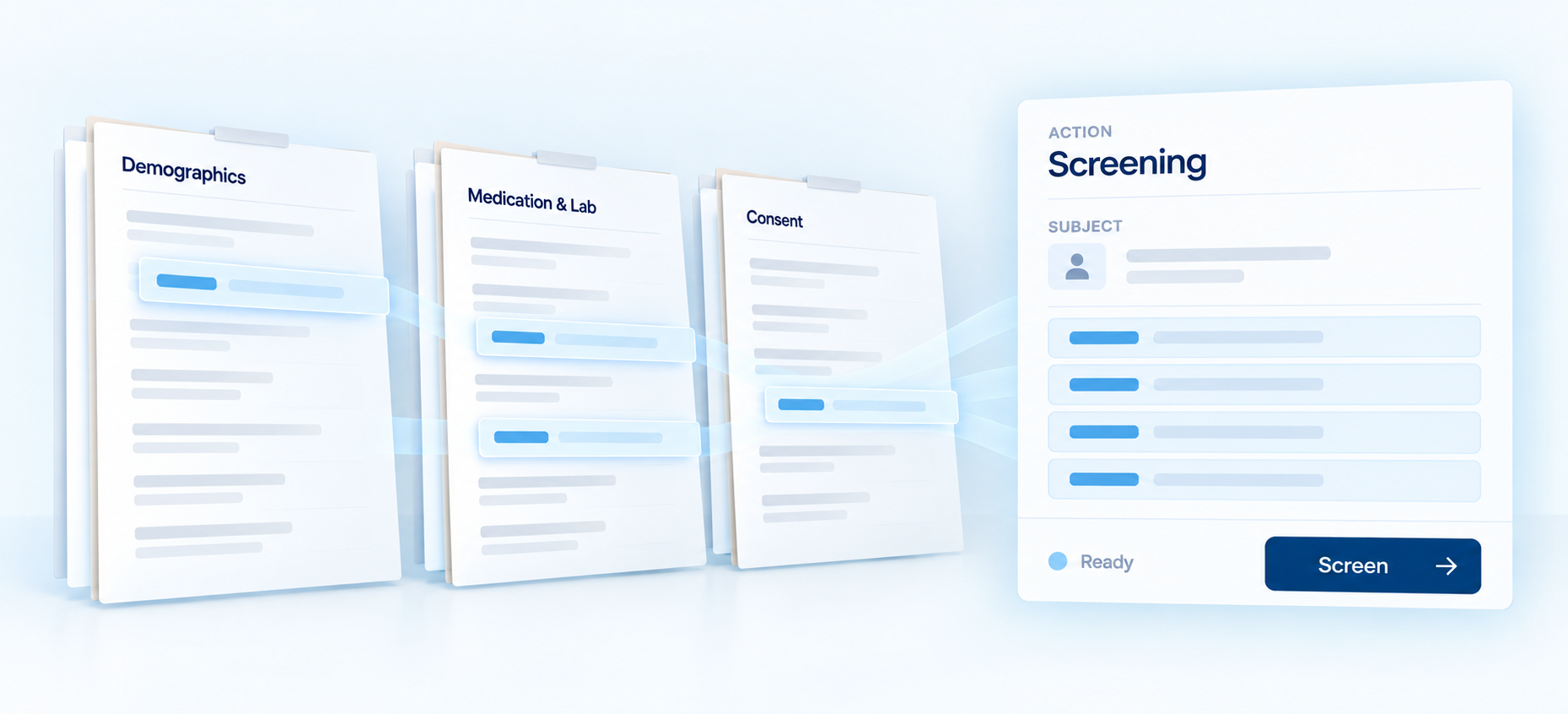
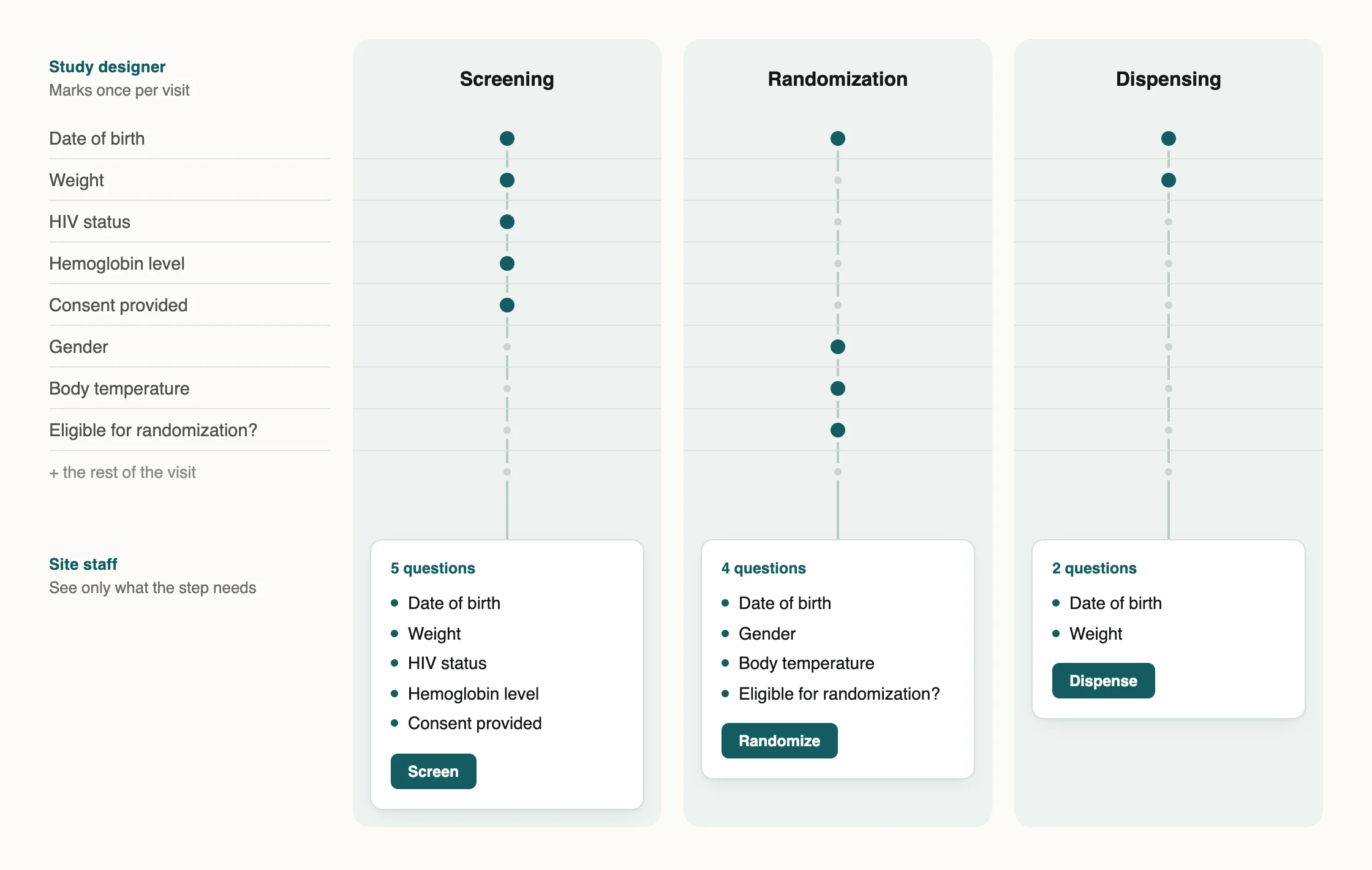
The steps do not need the visit. Screening needs the handful of answers that decide eligibility. Randomization needs a few baseline measures. Dispensing needs a weight. Everything else on the form is for the record, and the record can be finished tomorrow.
So the better question was not how to get every field filled faster. It was which fields each step actually needs, who gets to say so, and what the site sees once they have.
That is two designs, for two different people, and the product team arrived with a quick proposal for each. Both would have worked. Both were the wrong shape, for the same reason.
What I designed · For study designers
One place to say what each step needs
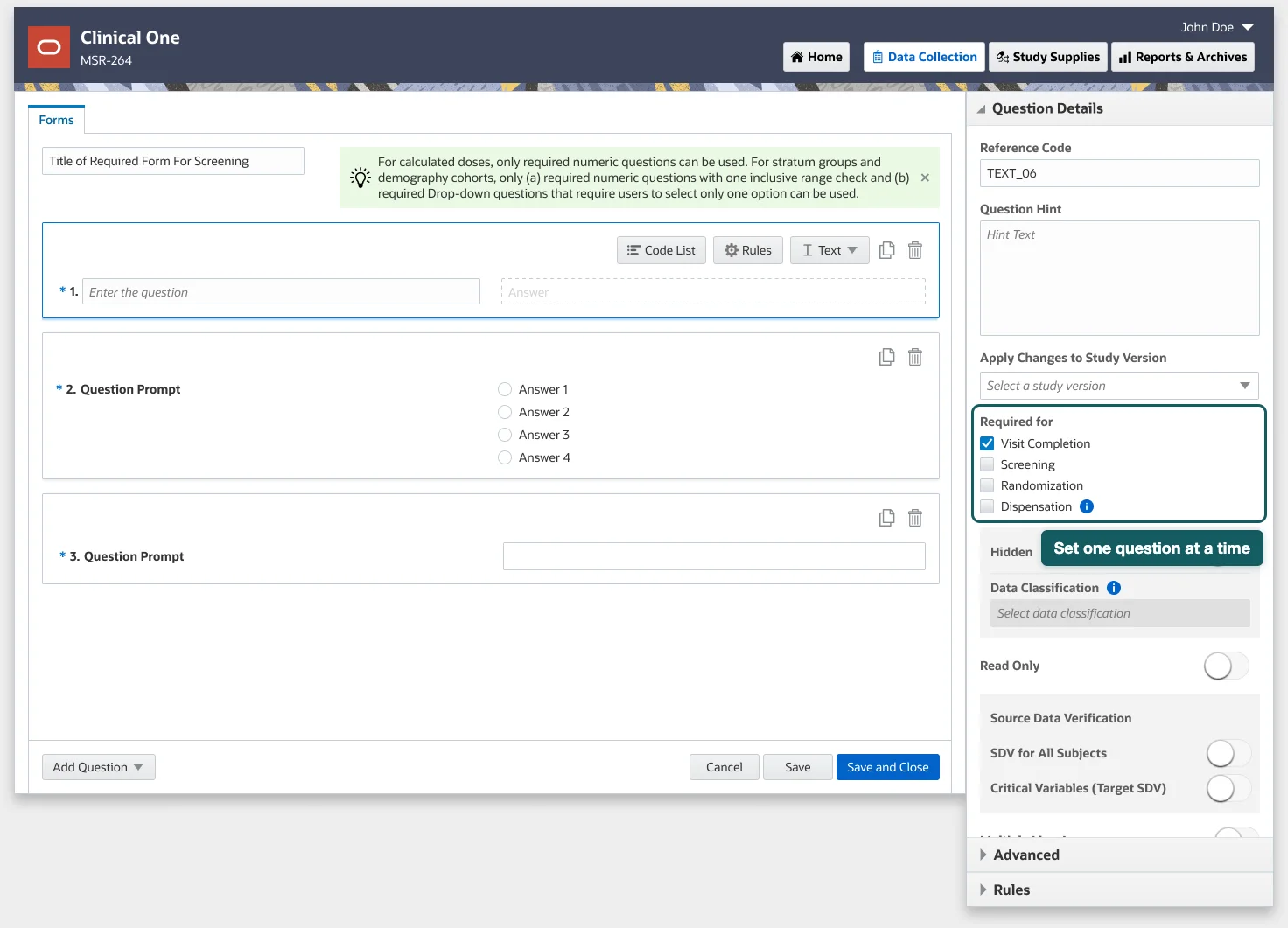
The first release put the setting where study designers already work, as a checklist in each question’s settings, beside options they already knew. It needed almost nothing new to build. On one form, with four questions, it works.
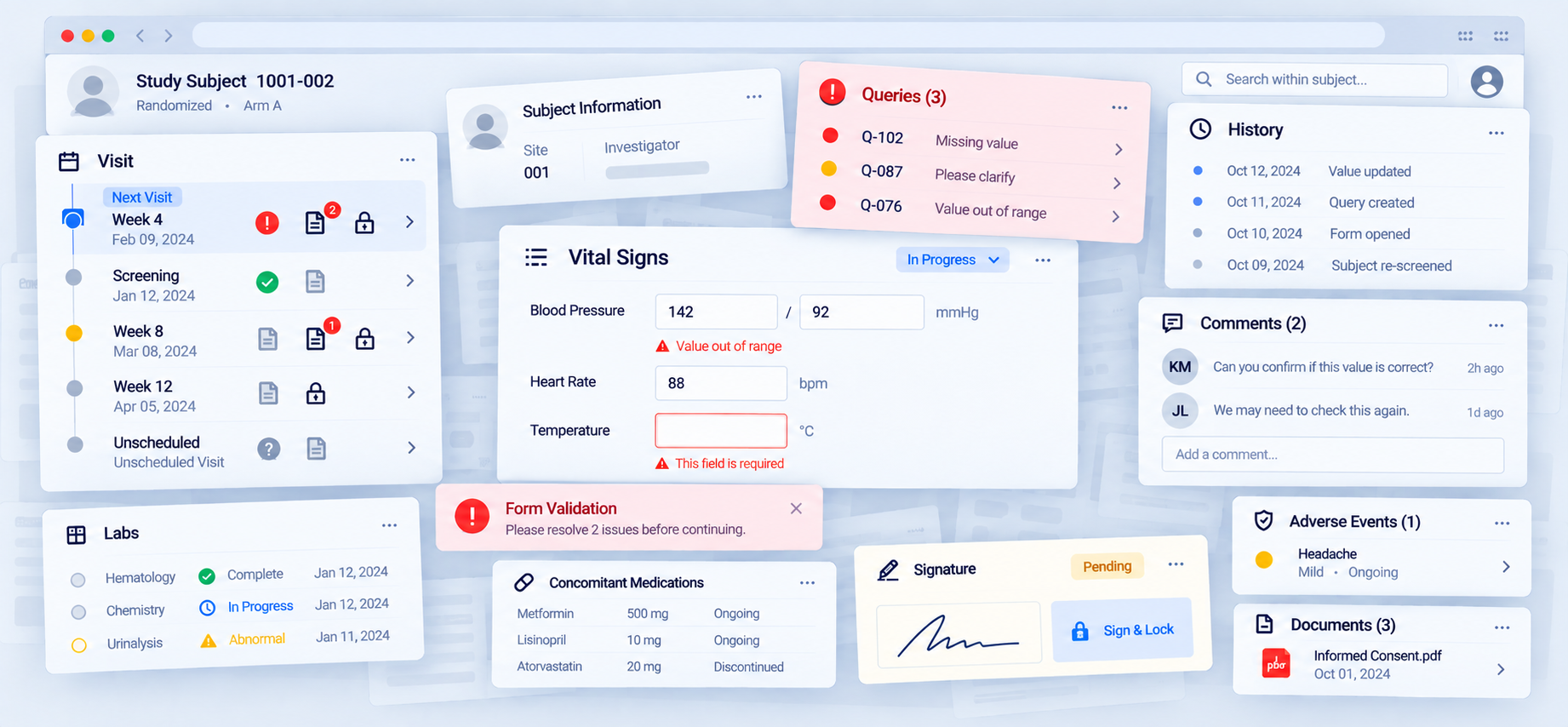
A real visit is not one form. I walked the product manager through a visit with ten or more forms and asked how a designer would track what was required for randomization versus dispensation across all of them. You open each form, each question, and check boxes one at a time. There is no page where you can see the whole visit’s answer. When the protocol is amended, and protocols are amended, you do it again, without knowing what you set last time.
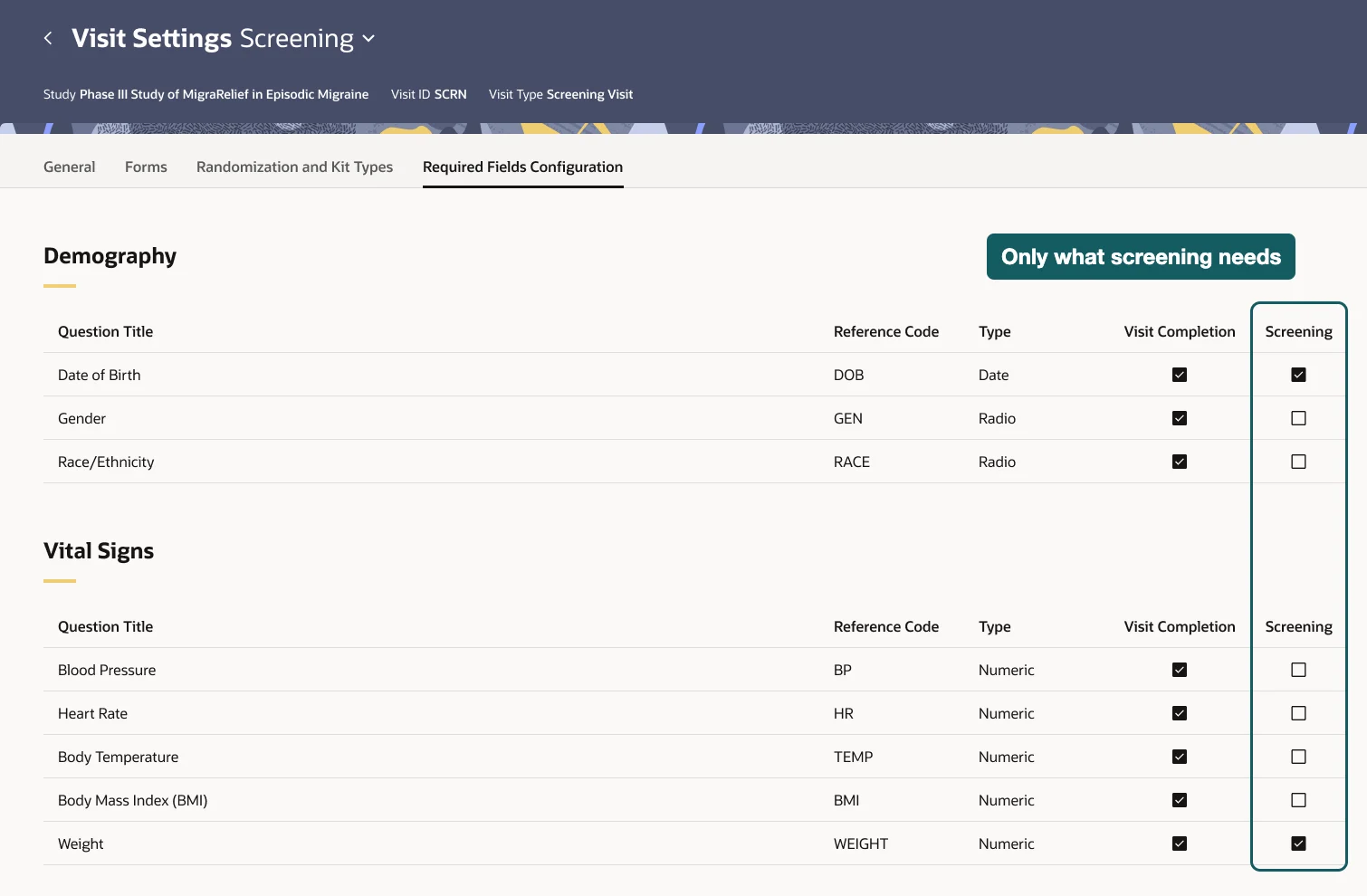
So the design moves the setting to the visit. It is set once, on one page, and the whole picture is in one place.
The cost is a new page. It is one more surface to build and one more place a designer has to know exists, and the setting now lives away from the question it describes. I took that trade because the thing being configured is a property of the visit, not of any single question. A setting you cannot see whole is a setting you cannot check.
Checking mattered. The same page carries a preview of what the site will see for each step, so a designer can confirm the setup before the study is released, rather than finding out from a site that screening was blocked on a field nobody meant to include.
What I designed · For site staff
Labels tell you what a field is for. They do not tell you what to do.
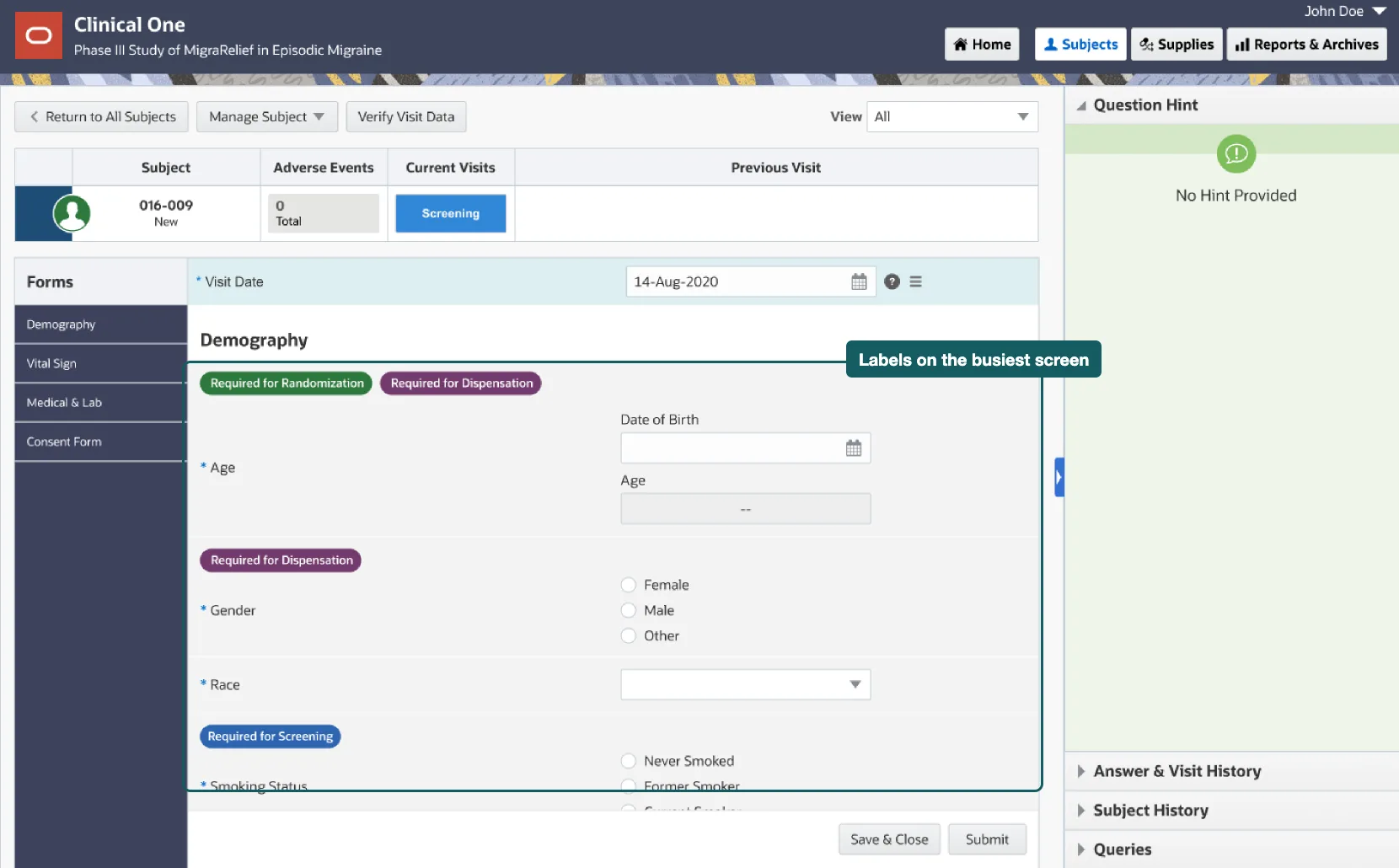
The case for this one was strong. It is simple, it is cheap, and it puts the new information exactly where the data entry already happens.
I built it, and the screen made the argument for me. Three labels on one question, four forms of them, on a page that was already the densest in the product. The coordinator who wants to dispense still has to read all of it to find the one field that matters. The labels answer “what is this field for.” Nobody at a site was asking that. They were asking “what do I need to do right now.”
A filter for one step
A tab per step
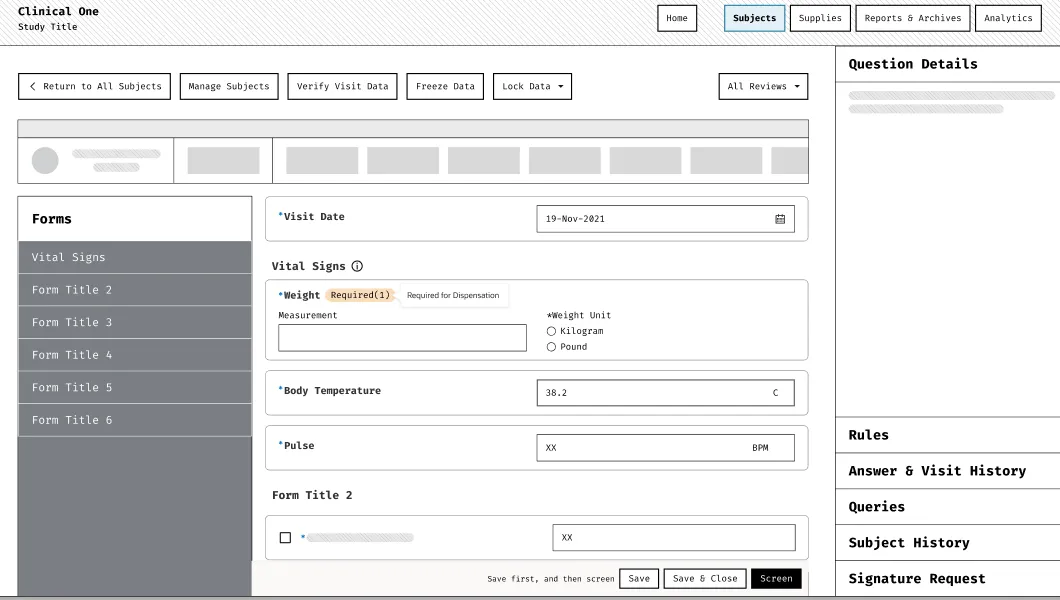
Highlight what’s missing
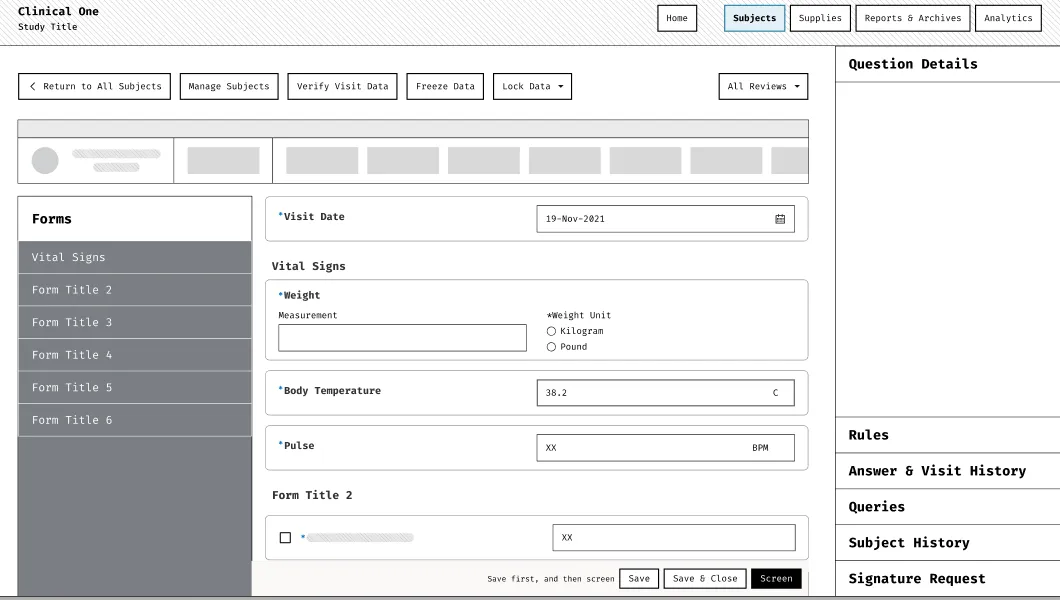
Explain on hover
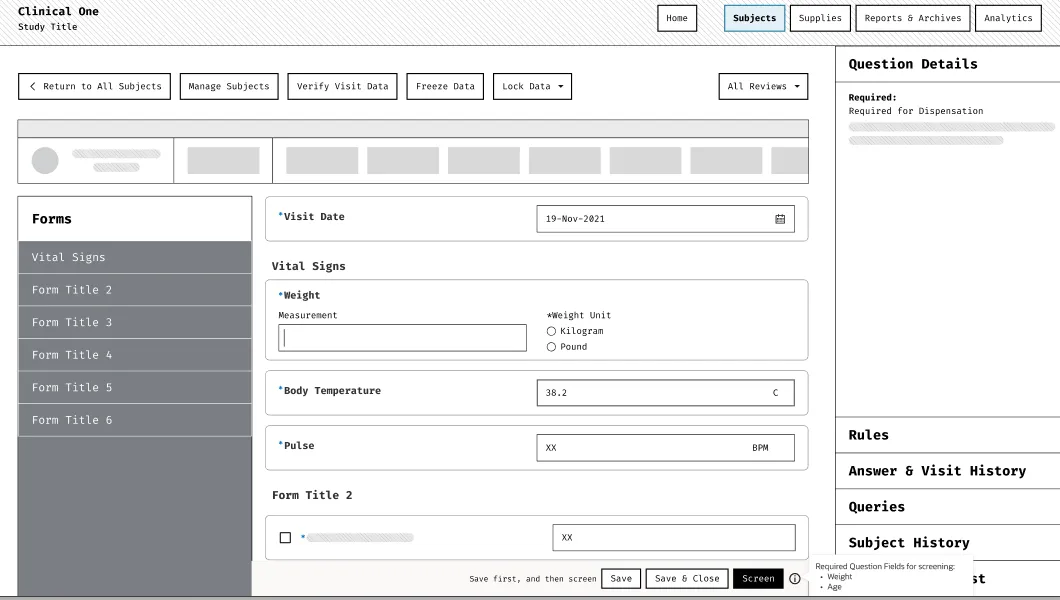
One shared label
Reuse the form-state icons
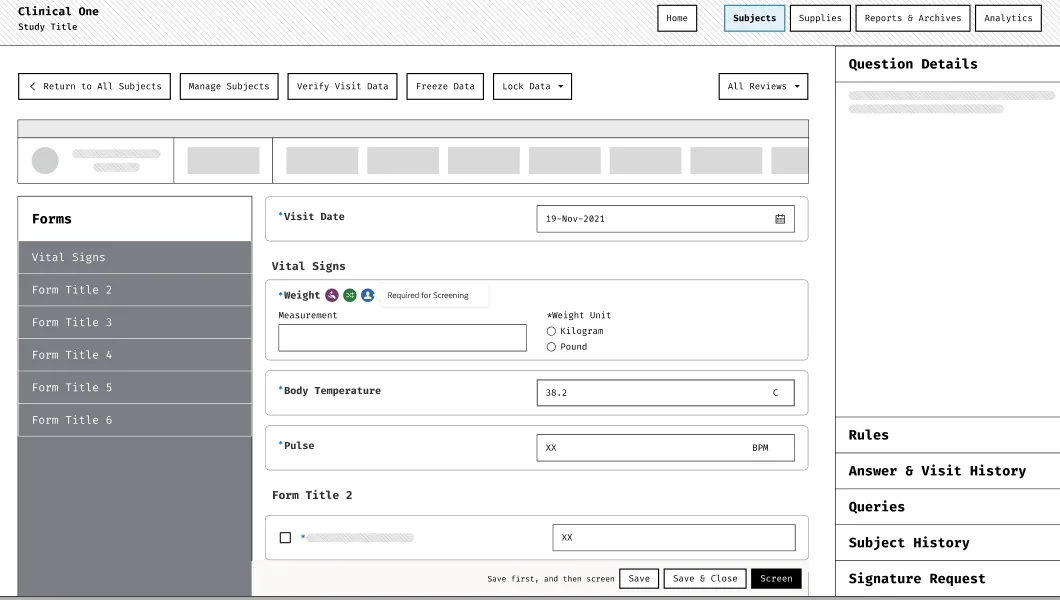
I tried quieter versions, like a filter, a tab per step, icons, tooltips, one shared label. The one that tempted me most showed nothing until you pressed the step, then lit up what was missing. No clutter, and the system only speaks when it has to. But it makes what the system knows available only after you fail, and the moment of failure is the moment the patient is standing there.
What I designed · The Focused View
Filter the work instead of decorating it
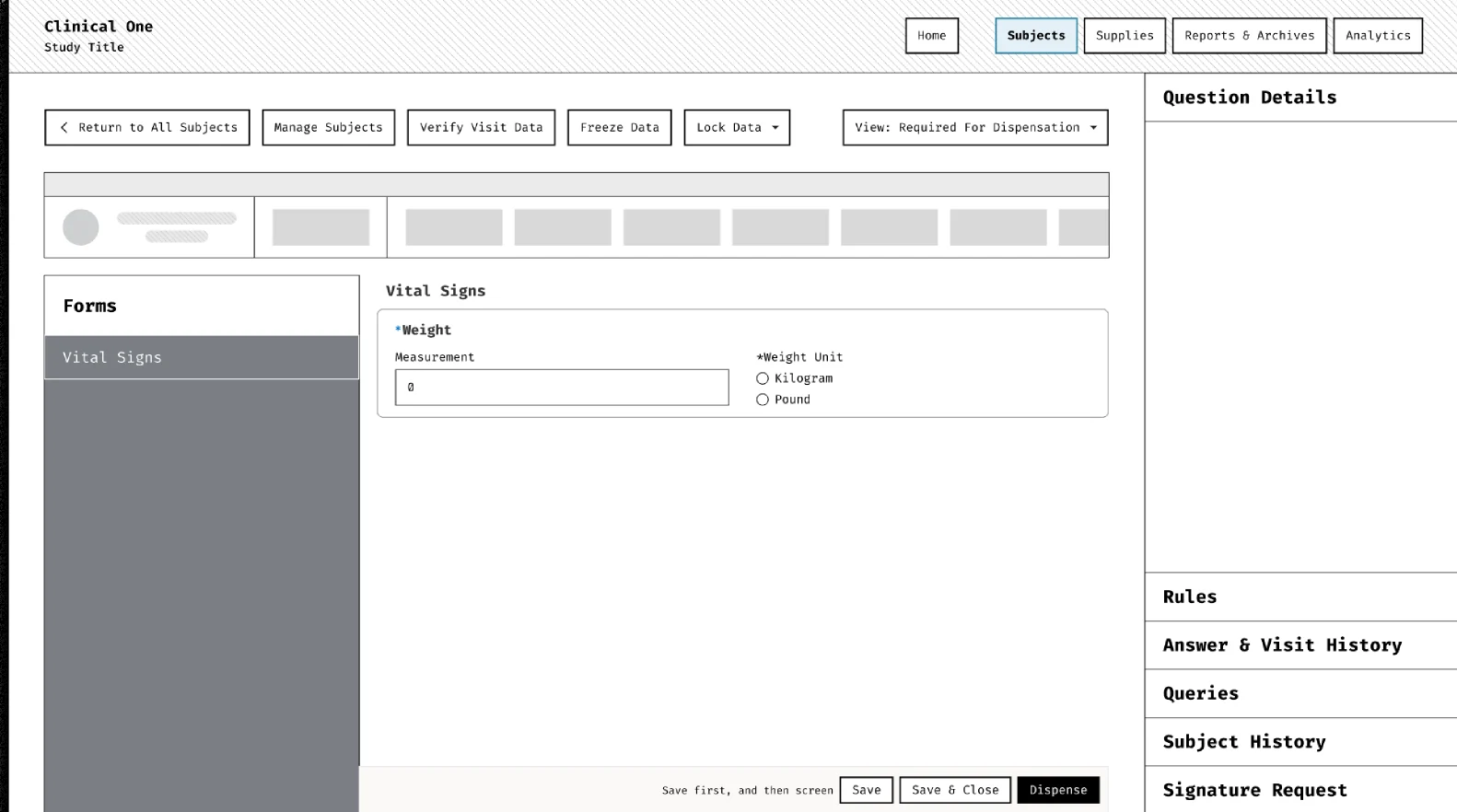
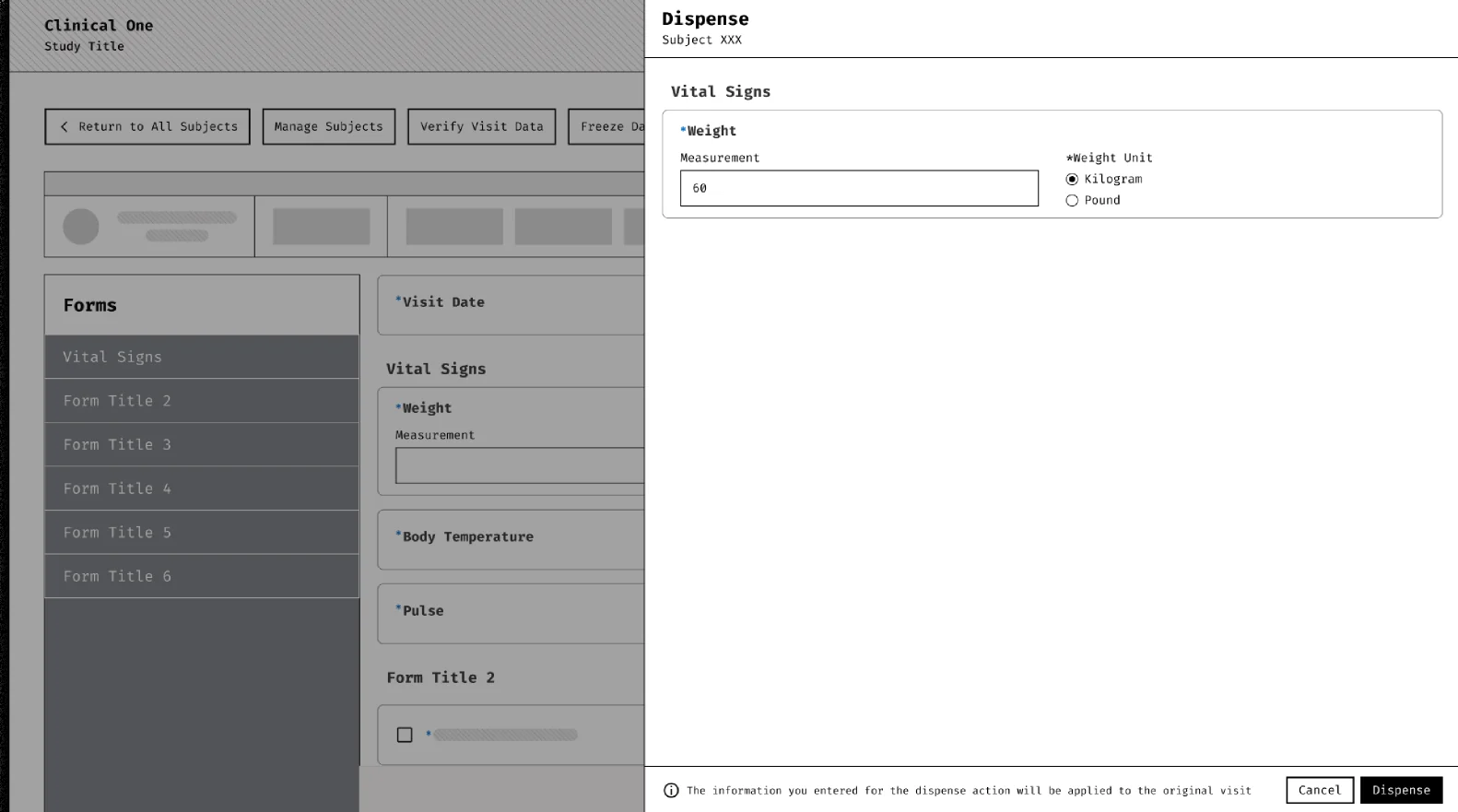
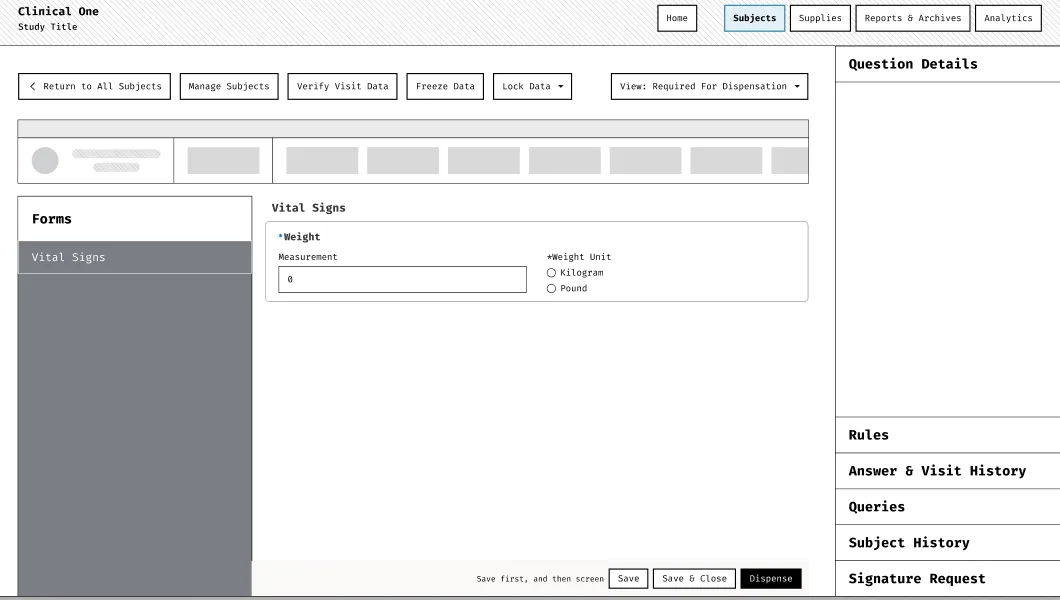
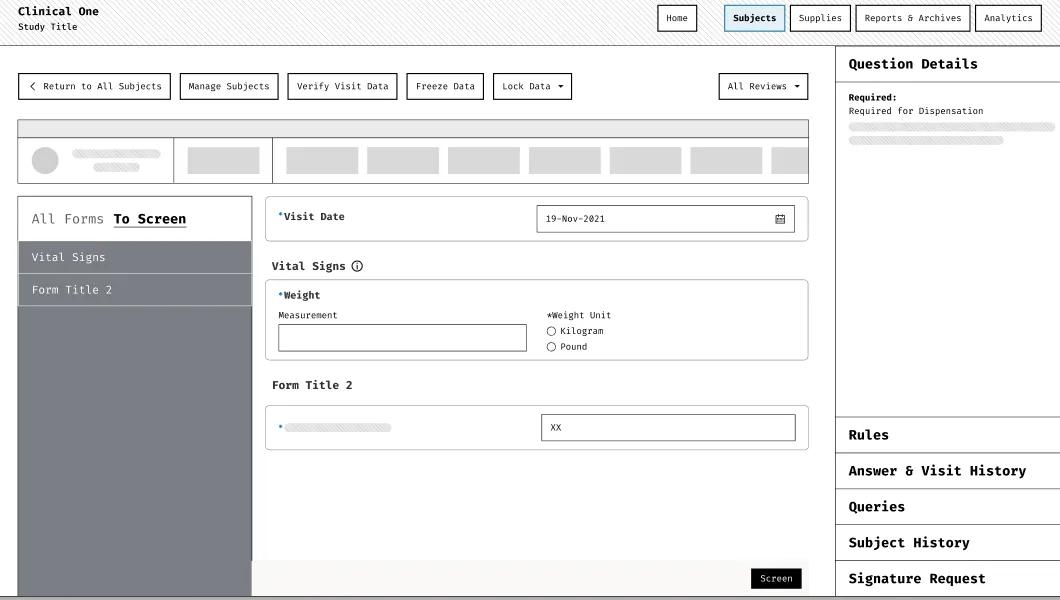
Once the question was “what do I need to do now,” the answer was not to mark the fields but to remove the others. The filter and the drawer were the first two shapes of that. Both showed only what the step needed, and both still left the coordinator inside the visit, with the full form a click away and the sense that they were looking at a fragment of something.
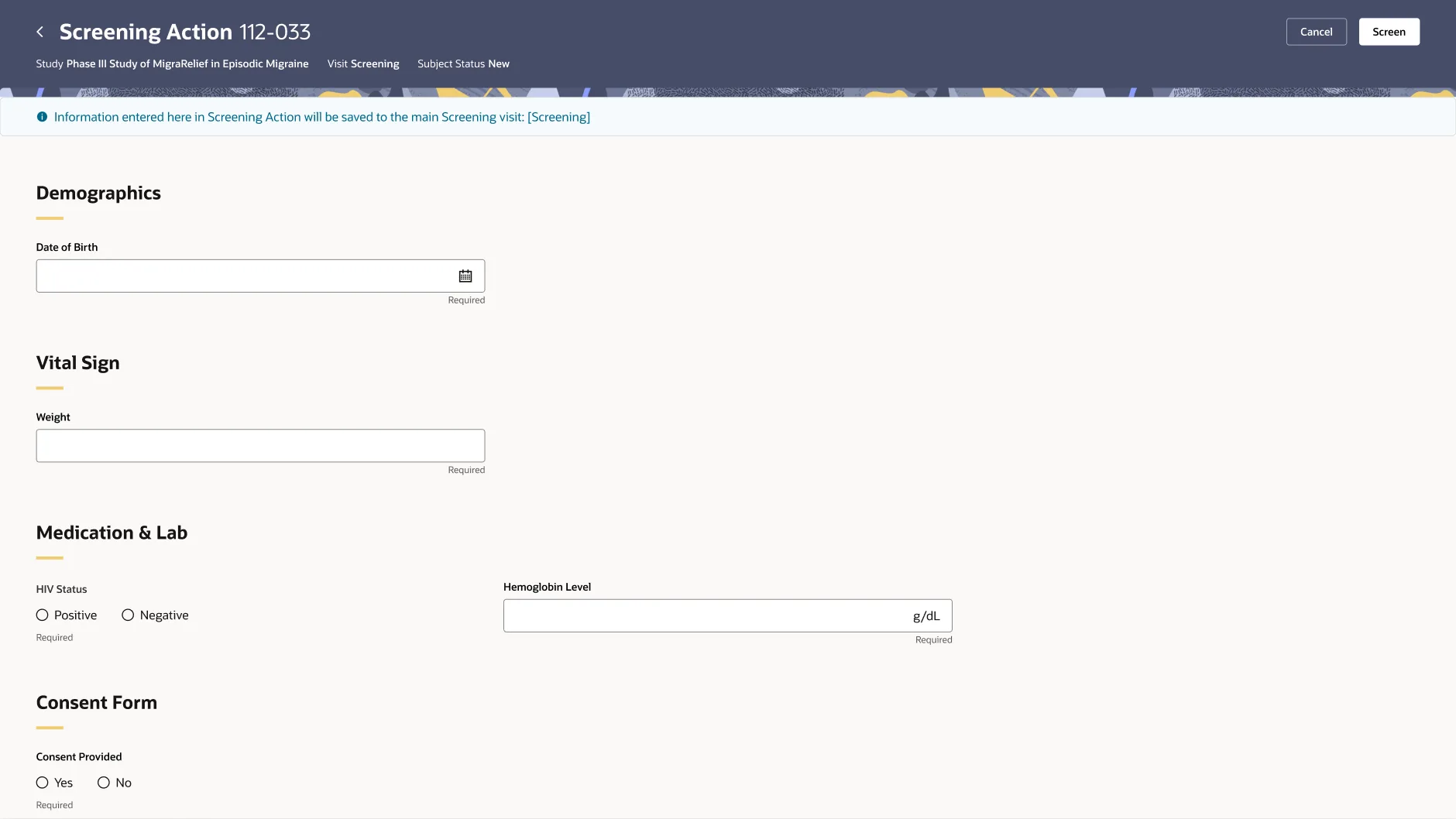
The Focused View is the step as its own page. It opens from the patient list or the visit, shows only the questions the study designer marked for that step, and ends in the step itself. The banner at the top is the part I would defend hardest. The answers are saved to the visit. This is not a second form that someone has to reconcile later. It is the same form, seen through one step.
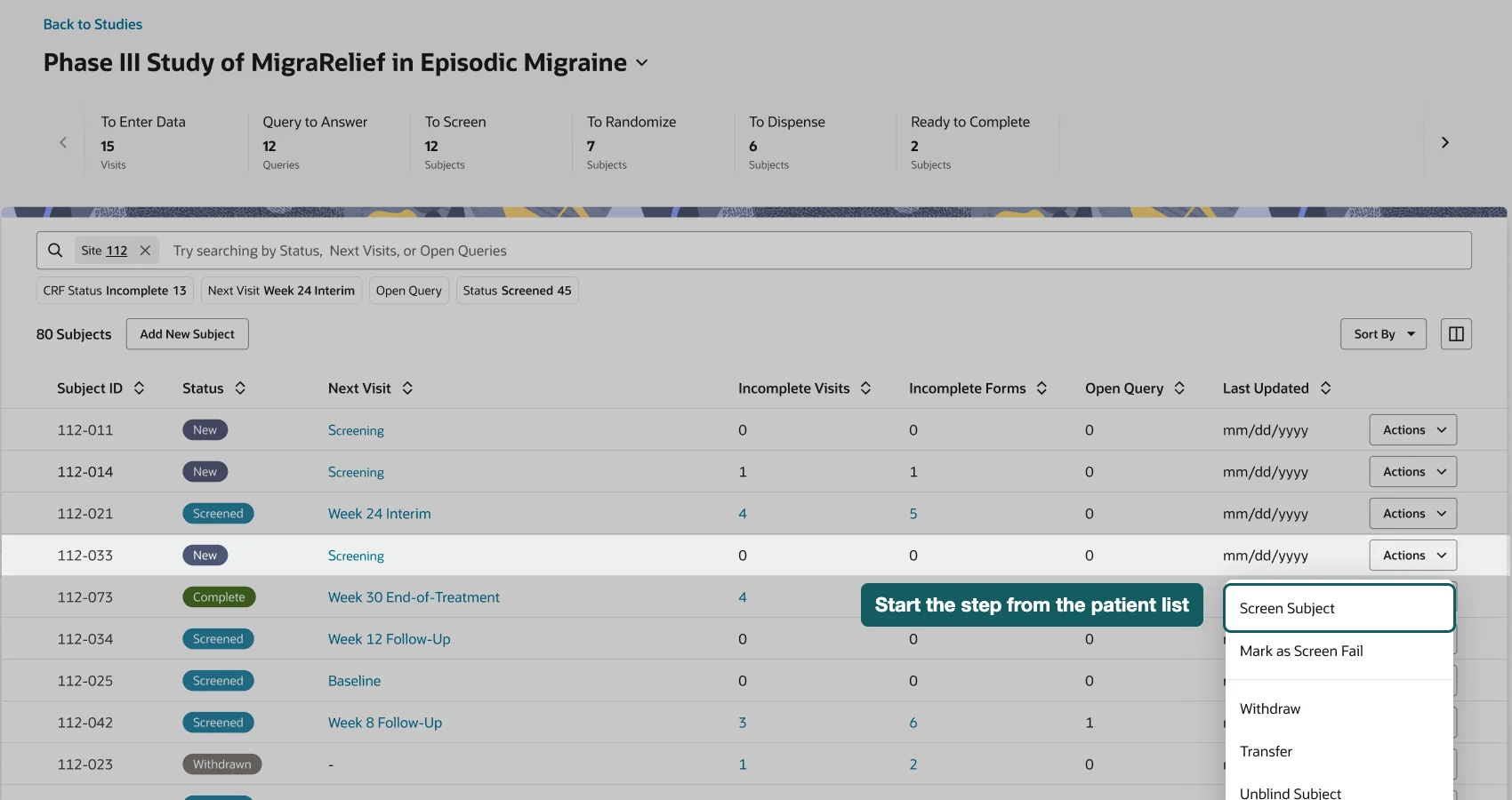
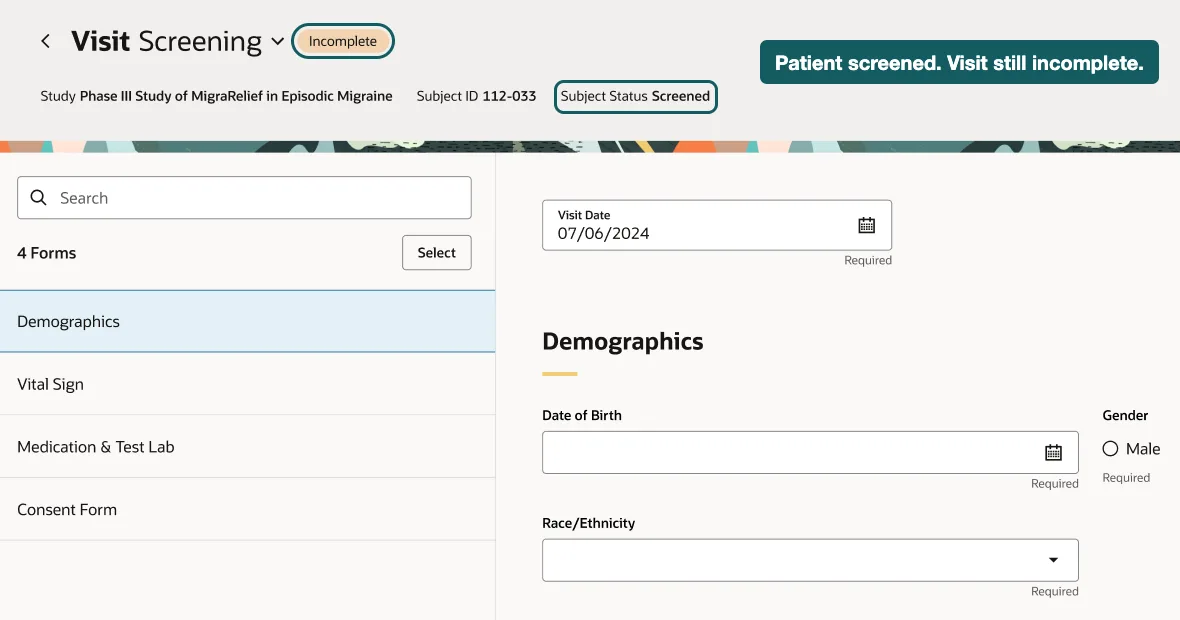
The cost is a separate surface. Visit data can now be entered from two places, and the second place is one a coordinator has to know about. I took the trade because the coordinator’s job is the step, not the form, and a person doing their job should not have to learn which of twenty asterisks are real. That cost did not stay theoretical. It is the first of the four gaps below.
The constraint
The cheap option was not the cheap option
The product manager’s concern about the Focused View was not usability. It was cost. A new page for each step sounded like more to build than labels on an existing one, and the release had a date.
Rather than argue the design again, I asked a different question. Was it actually more to build? A filtered page reads one configuration and renders a short list. Labels on the existing screen mean touching the densest, most rule-laden page in the product and keeping every new state consistent with the old ones.
We took it to the engineering lead. The answer was the opposite of the assumption. Fewer entanglements with the existing data collection screen, a simpler build, less to maintain, and a timeline that held. The direction that was better for coordinators was also the one that was easier to ship. That is not always true, and I would not claim it as a method. It was true here, and it was worth checking before conceding.
What shipped
The design shipped. Then it told us what it had missed.
The Focused View went out in 2025. Then a customer, a pharmaceutical sponsor running trials on Clinical One, brought back four specific problems from its sites. I set up the review with product. We agreed on who each problem affects, how often, and what happens if we wait, then decide which ones belong in this release. Product kept the release as it was and took all four as later enhancements.
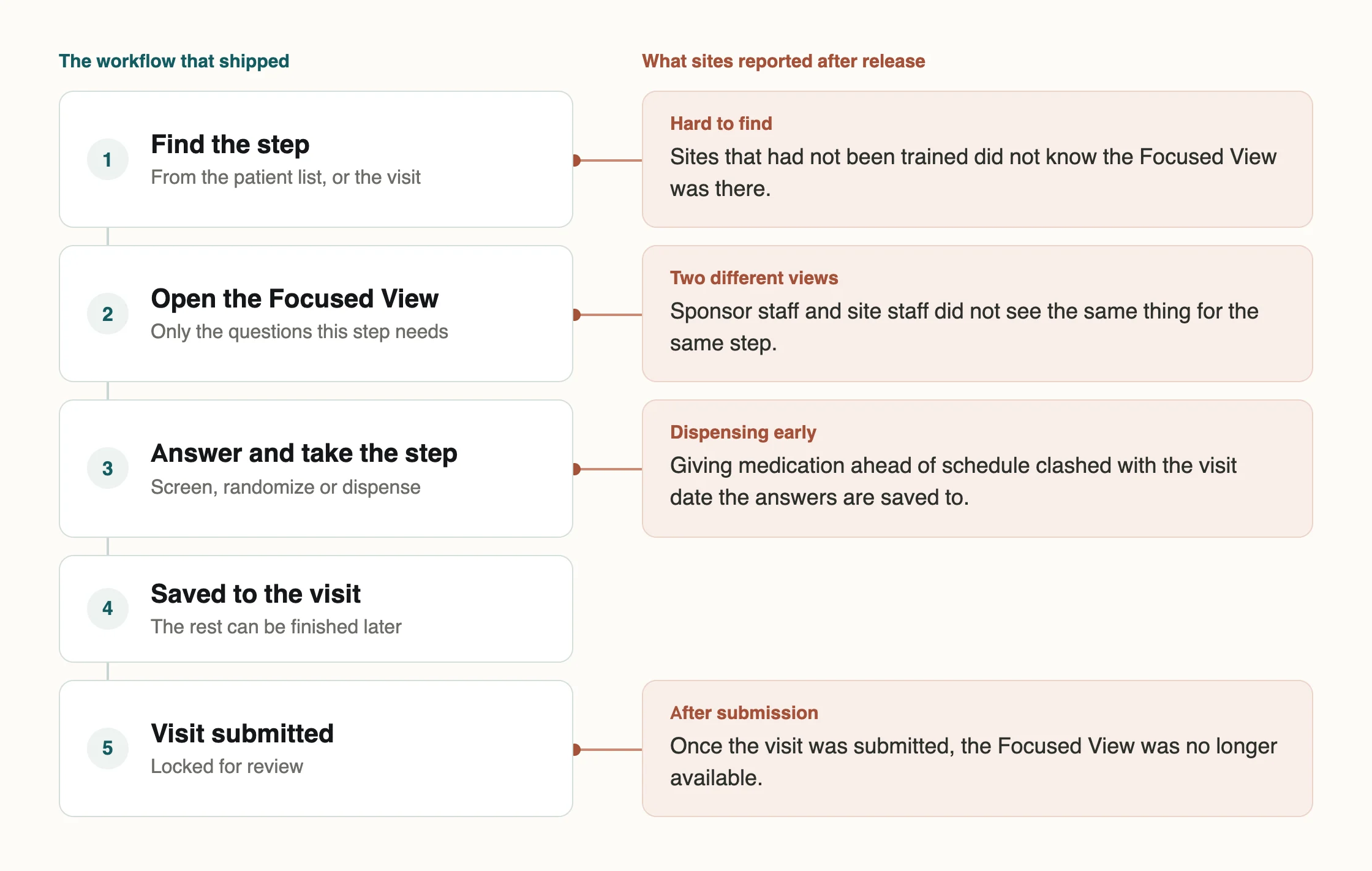
I read these as the bill for the trades above.
Discoverability is the direct cost of a separate surface. Sites that had not been trained did not find it. Early dispensing and the after-submission gap are two edges of the same rule I defended, that a step’s answers belong to the visit. When the step happens before the visit’s date, or after the visit has been submitted, that rule strains. And sponsors saw the site’s work differently from the site, which I had not designed for at all.
None of these argue for going back to labels. They argue that the first release solved the coordinator’s Tuesday afternoon and not yet the whole workflow around it.
Closing
What I take from it
The contribution I would defend is the reframing. Everything downstream, the setup page, the Focused View, the argument with the labels, follows from treating “required” as a property of the step rather than of the field.
It also changed how I argue for a design. The strongest case for the Focused View was not that sites would like it more. It was that it was simpler to build and easier to maintain, and engineering could say so.